> For the complete documentation index, see [llms.txt](https://docs.dispel.com/llms.txt). Markdown versions of documentation pages are available by appending `.md` to page URLs; this page is available as [Markdown](https://docs.dispel.com/changelog/releases/2026-10-07.md).
# 8.15.0 — 7 October 2026
What changed in Dispel in the release of 7 October 2026.
**Dispel Zero Trust Engine 8.15.0**, including Orchestrator 1.24.0.
{% hint style="info" %}
[**Customer Impact Score: 2**](https://legal.dispel.com/support/maintenance-windows#customer-impact-scores) — visible changes and new features, without a substantial change to the workflows most people use.
{% endhint %}
## New features and improvements
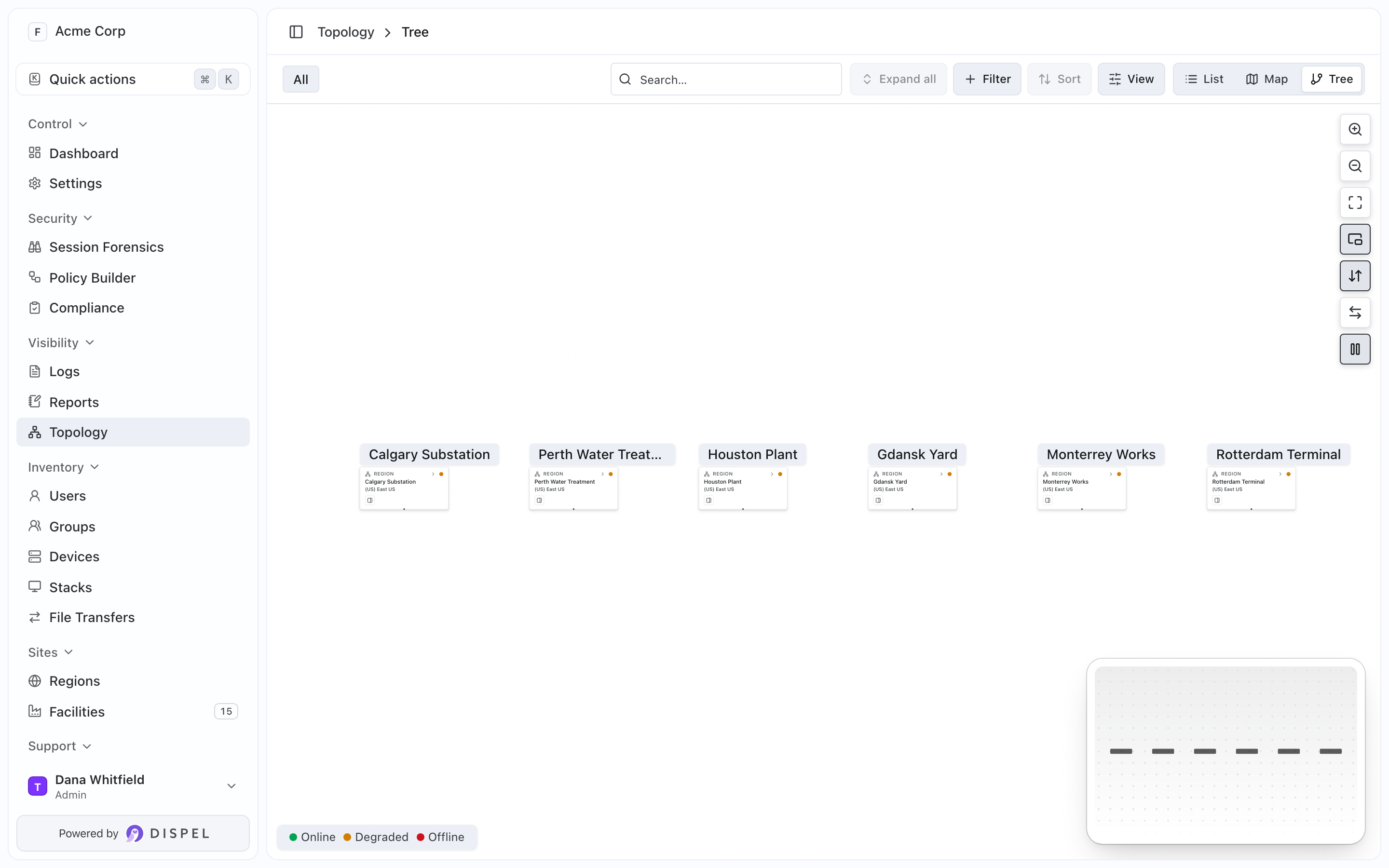
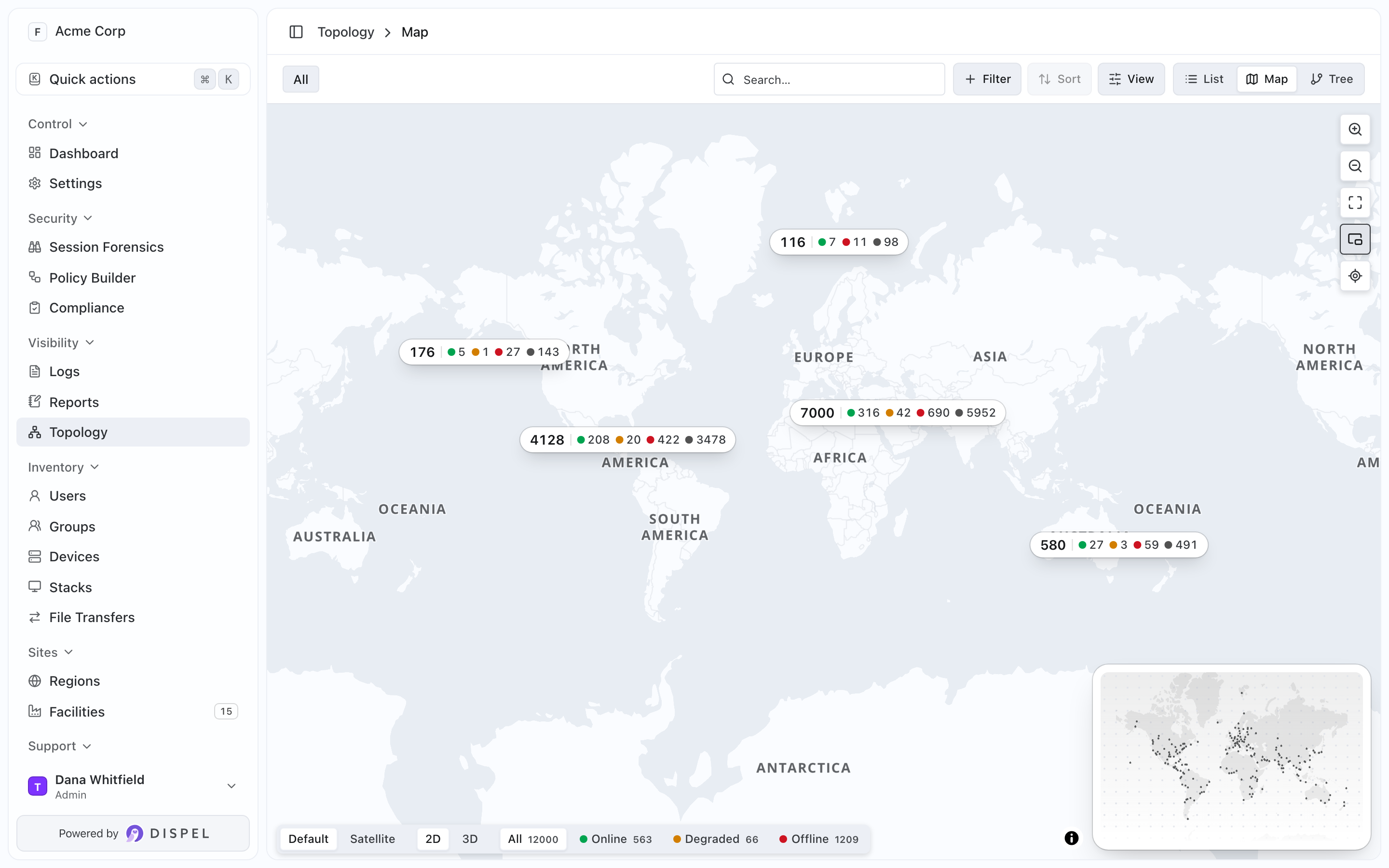
* The [Topology](https://docs.dispel.com/monitor-and-investigate/topology) Tree and Map views have a minimap in the bottom-right corner showing the whole view and the part on screen. Click or drag it to move around, or press O to show or hide it. On the Map, a group of facilities shows how many it holds and how many are online, degraded or offline. (DIS-24287)
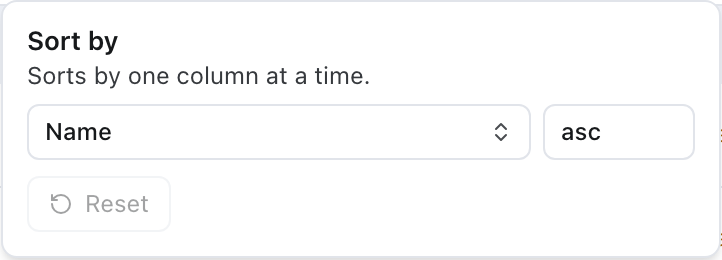
* Sort menus hold one sort, a column and a direction, and Reset returns the list to its default order. Shift-clicking a column header replaces the sort instead of adding a second one. (DIS-24249)
## Bug fixes
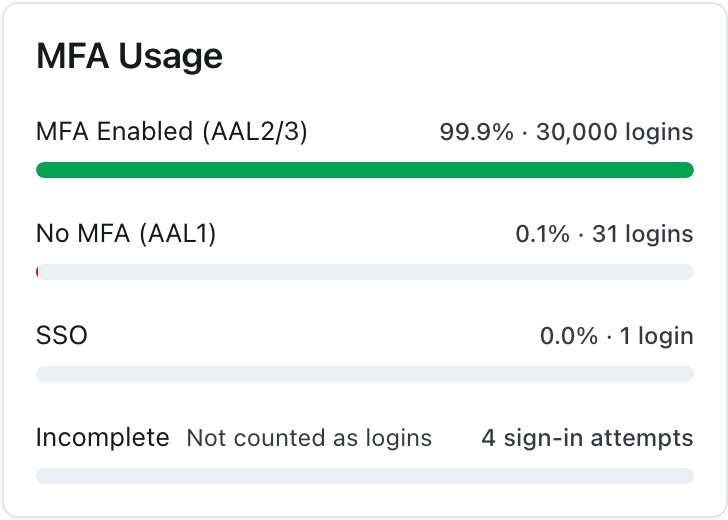
* The Session Forensics dashboard counted sign-in attempts that were never completed as logins, which put them under No MFA. Its totals now count completed sign-ins, and the MFA Usage card lists incomplete attempts separately. (DIS-24175)
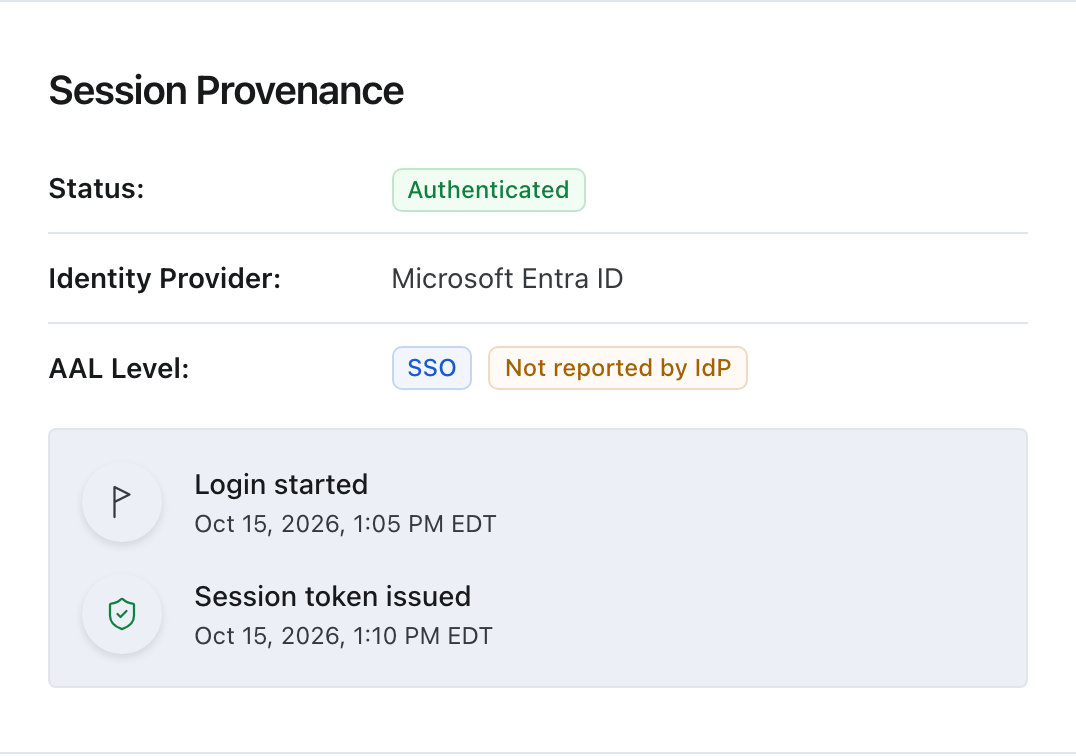
* Signing in with the Microsoft button was recorded in Session Forensics as a password sign-in without multi-factor authentication, which raised its risk score. It is now recorded as single sign-on with Microsoft Entra ID. (DIS-24695)
* Under certain conditions, a link to a page in Dispel could take you somewhere else after you signed in with single sign-on, or when you belong to more than one organization. (DIS-24652)
* A user who joined a group through an invite link could be left without access that an approved access window granted. (DIS-24683)
* In a popped-out Browser Connect window, Disconnect did nothing once the session had ended for inactivity. (DIS-23484)
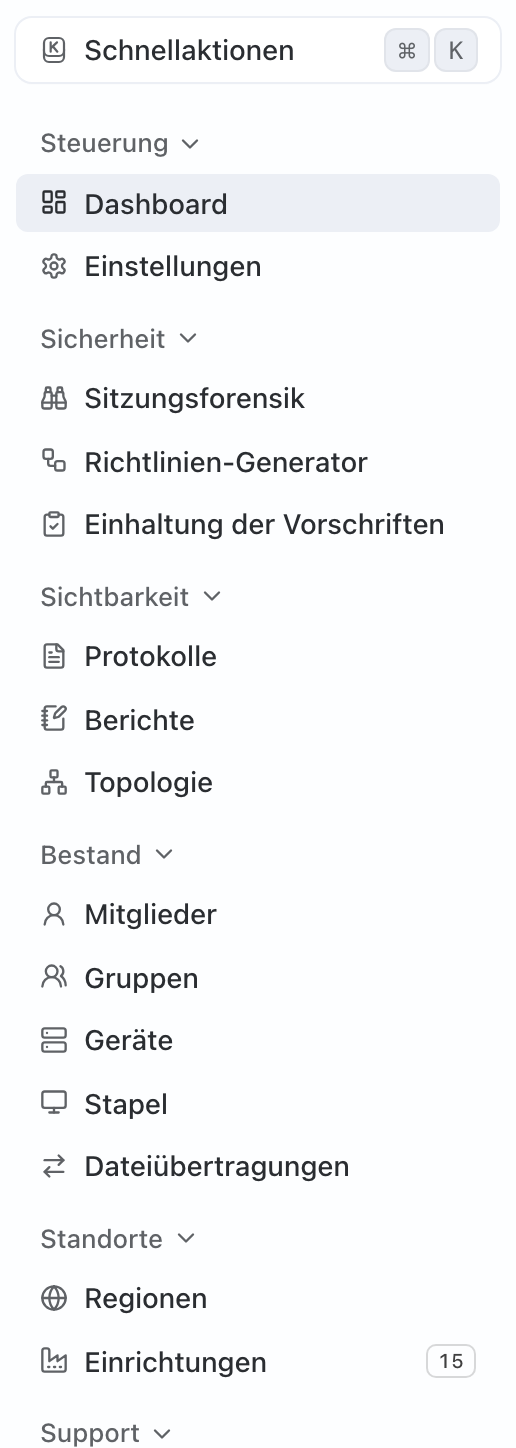
* Several German labels had incorrect translations, including Ausstattung for Facilities and Windows aufrufen for Access Windows. They read Einrichtungen and Zugriffsfenster again. (DIS-24548)
* **General bug and security fixes** across Logs status icons, Browser Connect on touch devices, File Transfer in regions without a File Transfer node, file transfers to SMB shares, virtual desktop connection links, access updates, wicket configuration, facility details, device account names, and the device File Shares list.
## Closed Beta
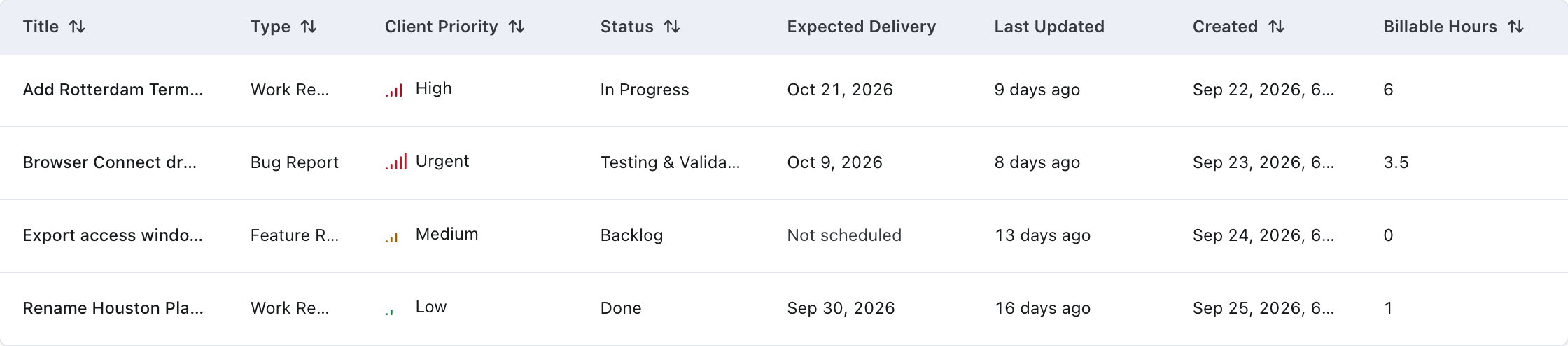
* In Service Requests, Deploy Date is now Expected Delivery, and the list can show it alongside Last Updated. (DIS-24185)
Visual changes in this release
Topology's Tree view has a minimap in the bottom-right corner, with a Minimap button in the controls on the right. (DIS-24287)
Topology's Map view has the same minimap, and its markers changed: a group of facilities is a capsule with its total and a count for each status, and a single facility is a pill on a stem pointing at its location. (DIS-24287)
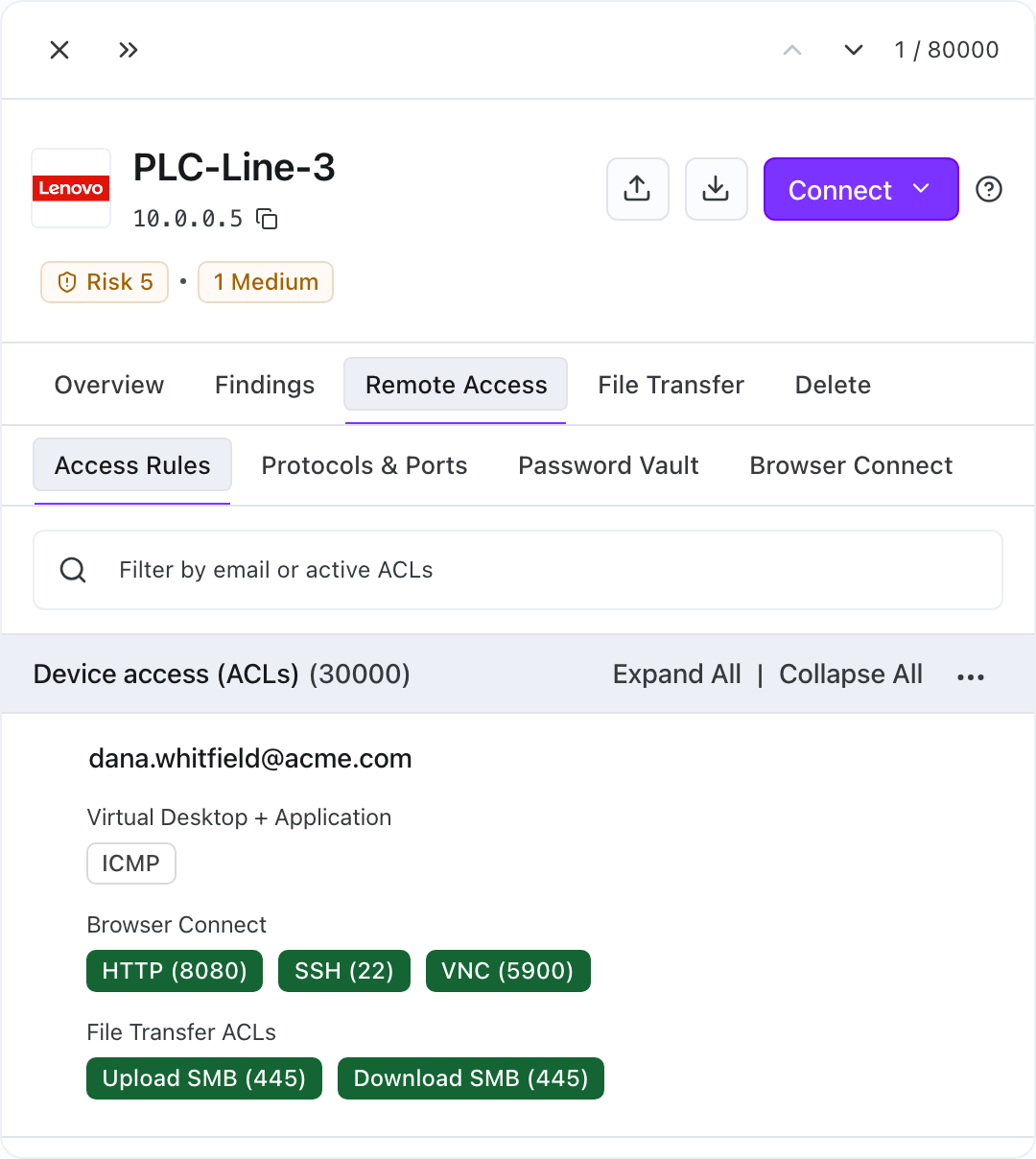
Status labels, tags and toggle pills share one style everywhere they appear, including risk and severity tags, MFA and account status, access window status, filter chips, trial and early-access tags, and the protocol toggles on access rules. Some labels that were in capitals are in title case, such as finding severities. Long facility and region names in a tag end in an ellipsis, with the full name on hover, and Quick Connect is an outlined button. A device's Remote Access tab is shown. (DIS-24247, DIS-24297, DIS-24317, DIS-24327)
The Sort menu shows a single column and direction under the subtitle "Sorts by one column at a time.", without Add sort, drag handles or a remove button. (DIS-24249)
On a device's Remote Access tab, the Access Rules, Protocols & Ports, Password Vault and Browser Connect tabs match the size of the device's other tab bars. (DIS-24451)
The MFA Usage card in Session Forensics has an Incomplete row counting sign-in attempts that were never completed. (DIS-24175)
In Session Forensics, a sign-in with the Microsoft button shows Microsoft Entra ID as its identity provider. (DIS-24695)
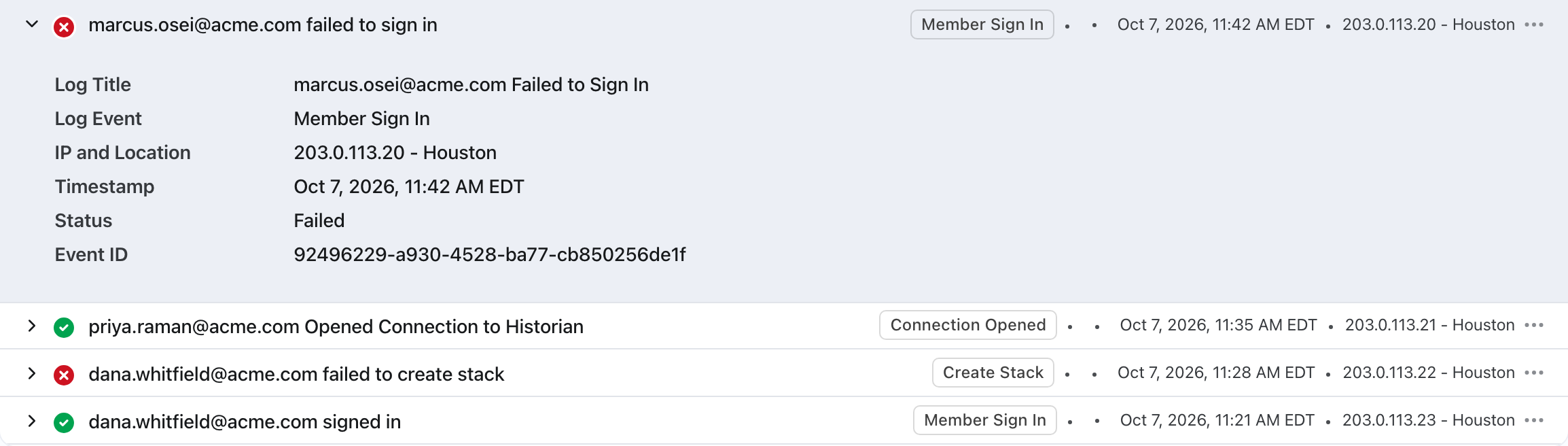
In Logs, every entry's details use the same title, status and time rows, and a failed event shows a failure icon. (DIS-24119, DIS-23386)
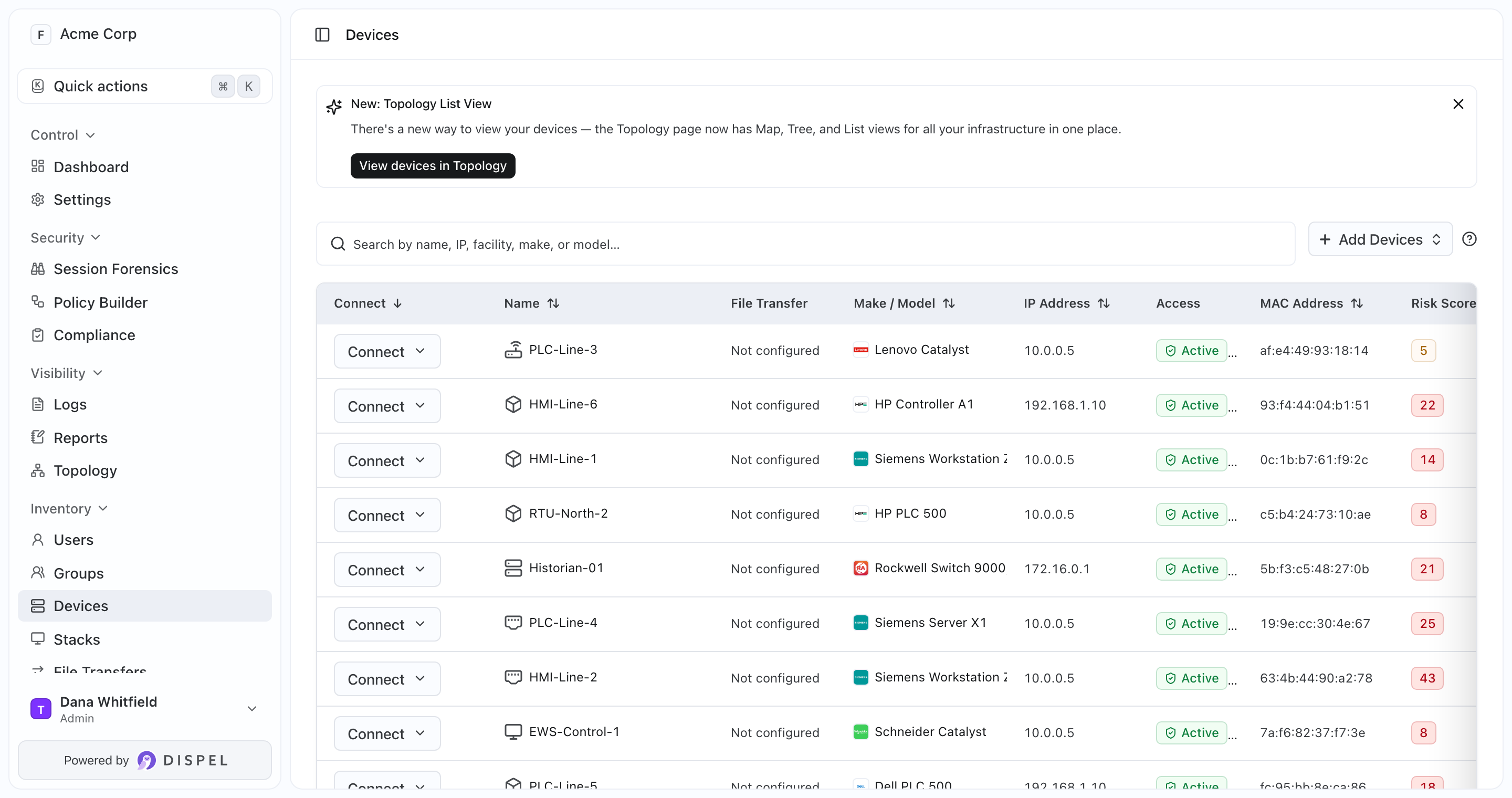
On the Devices list, a device in a region without a File Transfer node shows File Transfer as Not configured. (DIS-23205)
Saved-view tabs on Topology collapse into a +N menu when there is not room for them, instead of pushing the Sort and View buttons out of the toolbar. *(Closed Beta)* (DIS-24329)
The API documentation page follows the dark theme. (DIS-24529)
Several German labels changed back: Einrichtungen for Facilities, Zugriffsfenster for Access Windows, Aktuell for Now and Abgelaufen for Passed. The sidebar is shown. (DIS-24548)
Recording status tags read Live rather than LIVE, and a session that ended with nothing recorded no longer shows as completed. *(Closed Beta)* (DIS-24297, DIS-23820)
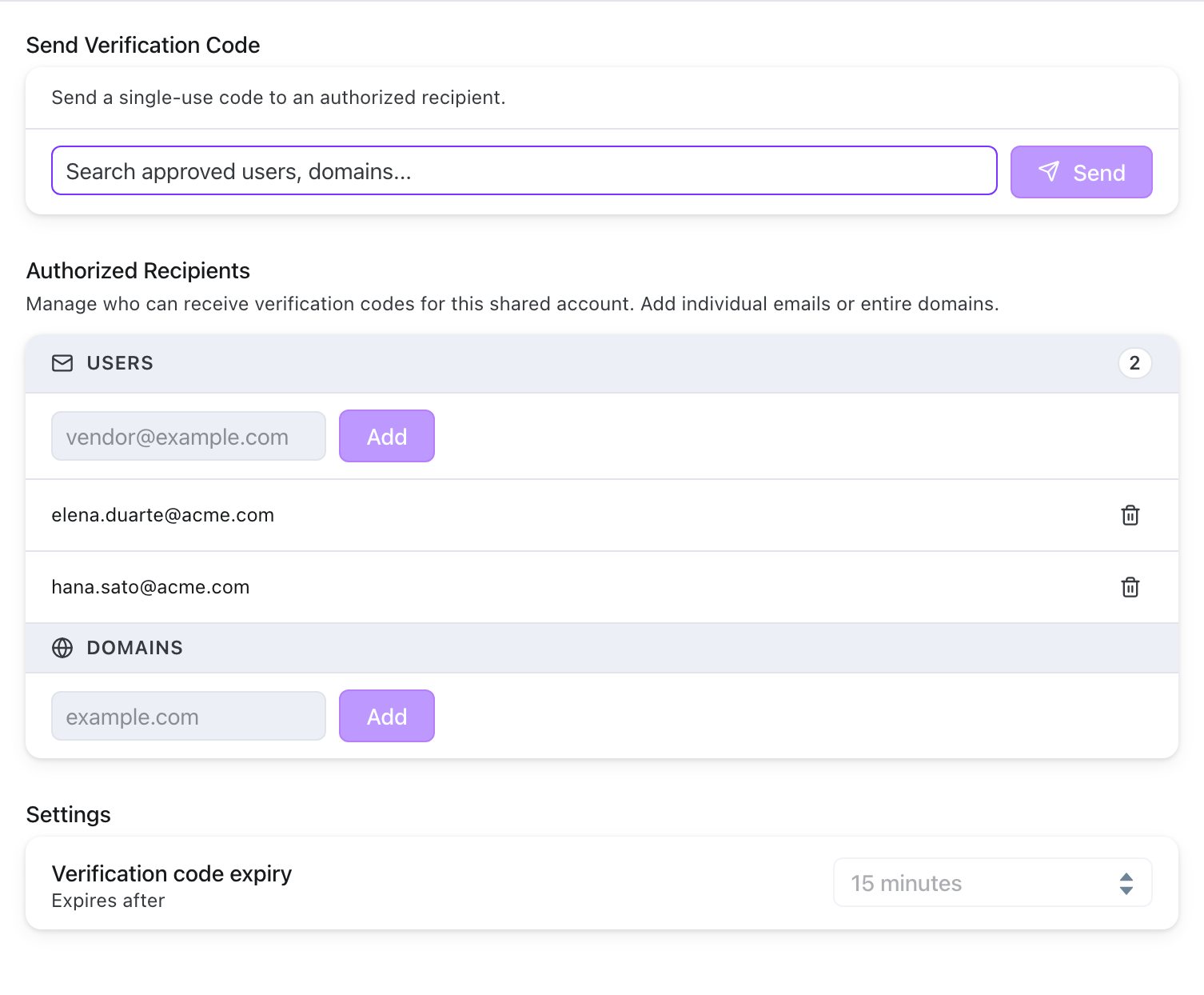
Facility administrators see the control to send a shared account's verification code for accounts in their facilities. *(Closed Beta)* (DIS-24611)
In Service Requests, the Deploy Date field is labeled Expected Delivery, and the list shows it beside Last Updated. *(Closed Beta)* (DIS-24185)
---
# Agent Instructions
This documentation is published with GitBook. GitBook is the documentation platform designed so that both humans and AI agents can read, navigate, and reason over technical content effectively. Learn more at gitbook.com.
## Querying This Documentation
If you need additional information that is not directly available in this page, you can query the documentation by asking a question.
Perform an HTTP GET request on the following URL with the `ask` and `goal` query parameters:
```
GET https://docs.dispel.com/changelog/releases/2026-10-07.md?ask=&goal=
```
`ask` is the immediate question: it should be specific, self-contained, and written in natural language.
`goal` is what the user is ultimately trying to achieve, the reason they need the answer. Sharing it helps GitBook give you a better, more relevant answer. A goal is most helpful when it describes the outcome the user wants rather than restating the question. For example, with `ask=how do I create an API token`, a goal like `automate deployments from our CI pipeline` lets GitBook tailor the answer to that use case.
The response will contain a direct answer to the question and relevant excerpts and sources from the documentation.
Use this mechanism when the answer is not explicitly present in the current page, you need clarification or additional context, or you want to retrieve related documentation sections.