> For the complete documentation index, see [llms.txt](https://docs.dispel.com/llms.txt). Markdown versions of documentation pages are available by appending `.md` to page URLs; this page is available as [Markdown](https://docs.dispel.com/documentation/documentation-es/gestionar-usuarios-y-acceso/users/create-a-dispel-account.md).
# Crea una cuenta de Dispel
## Descripción general
Crear una cuenta de Dispel es el primer paso para conectarse a su sitio a través de Dispel. Para crear una cuenta de Dispel, debe haber recibido una invitación por correo electrónico o un administrador de su implementación de Dispel debe haberle proporcionado un enlace de invitación.
## Crear una cuenta de Dispel
{% stepper %}
{% step %}
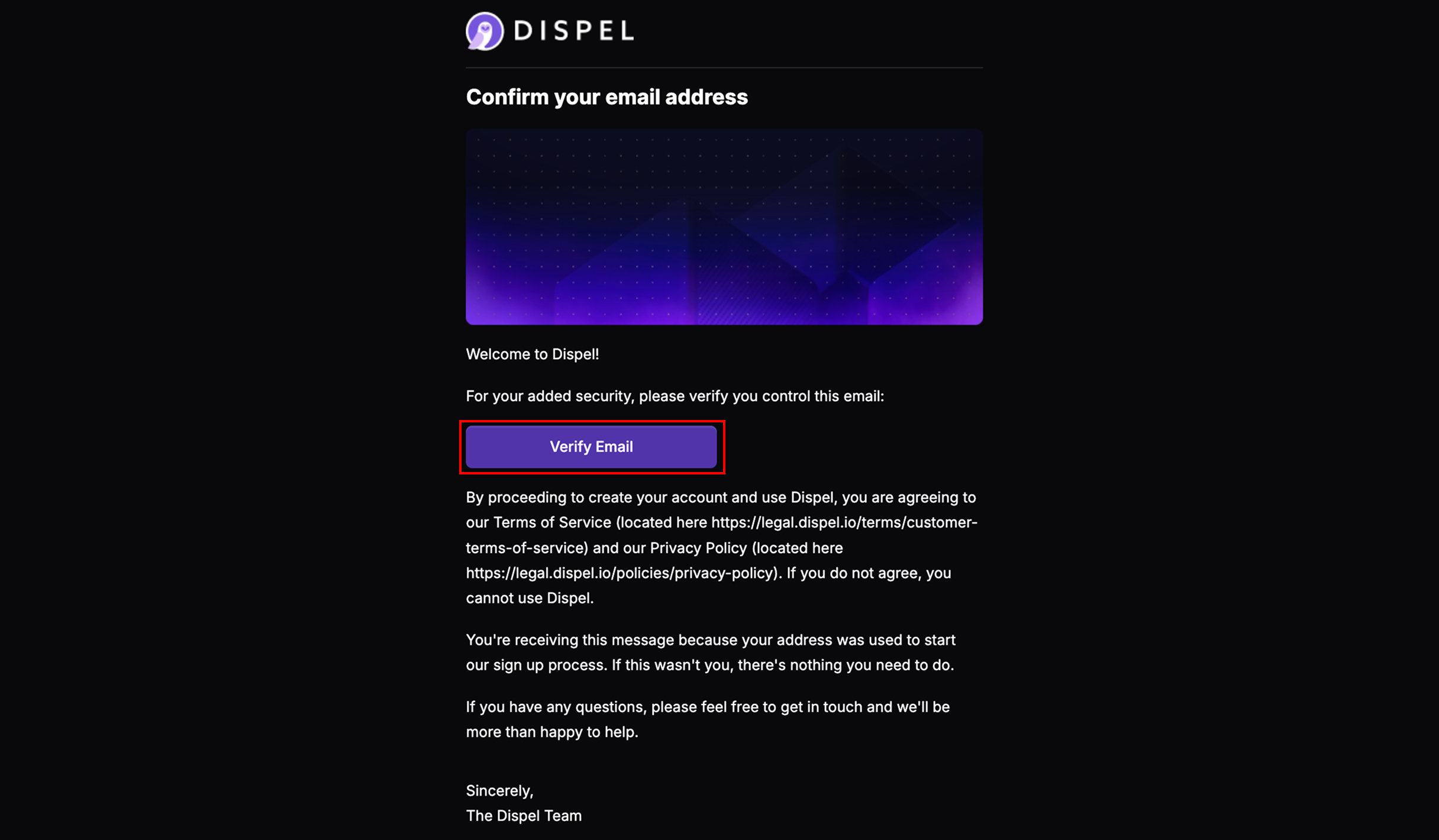
Para crear una cuenta de Dispel, primero debe recibir una invitación para unirse a una organización. Recibirá una invitación por correo electrónico, como se muestra a continuación, o un administrador le proporcionará un enlace de invitación. Haga clic en **Verificar correo electrónico** o abra el enlace de invitación que recibió.
{% endstep %}
{% step %}
Seleccione el idioma que prefiera.
{% endstep %}
{% step %}
Pulse **Continuar para indicar su nombre**.
{% endstep %}
{% step %}
Introduzca su nombre.
{% endstep %}
{% step %}
Pulse **Continuar para crear su contraseña**.
{% endstep %}
{% step %}
Introduzca dos veces la contraseña que desea usar para Dispel.
{% endstep %}
{% step %}
Marque la casilla para confirmar que acepta la Política de privacidad de Dispel y el Formulario de consentimiento del interesado.
{% endstep %}
{% step %}
Pulse **Establecer nueva contraseña.**
{% endstep %}
{% step %}
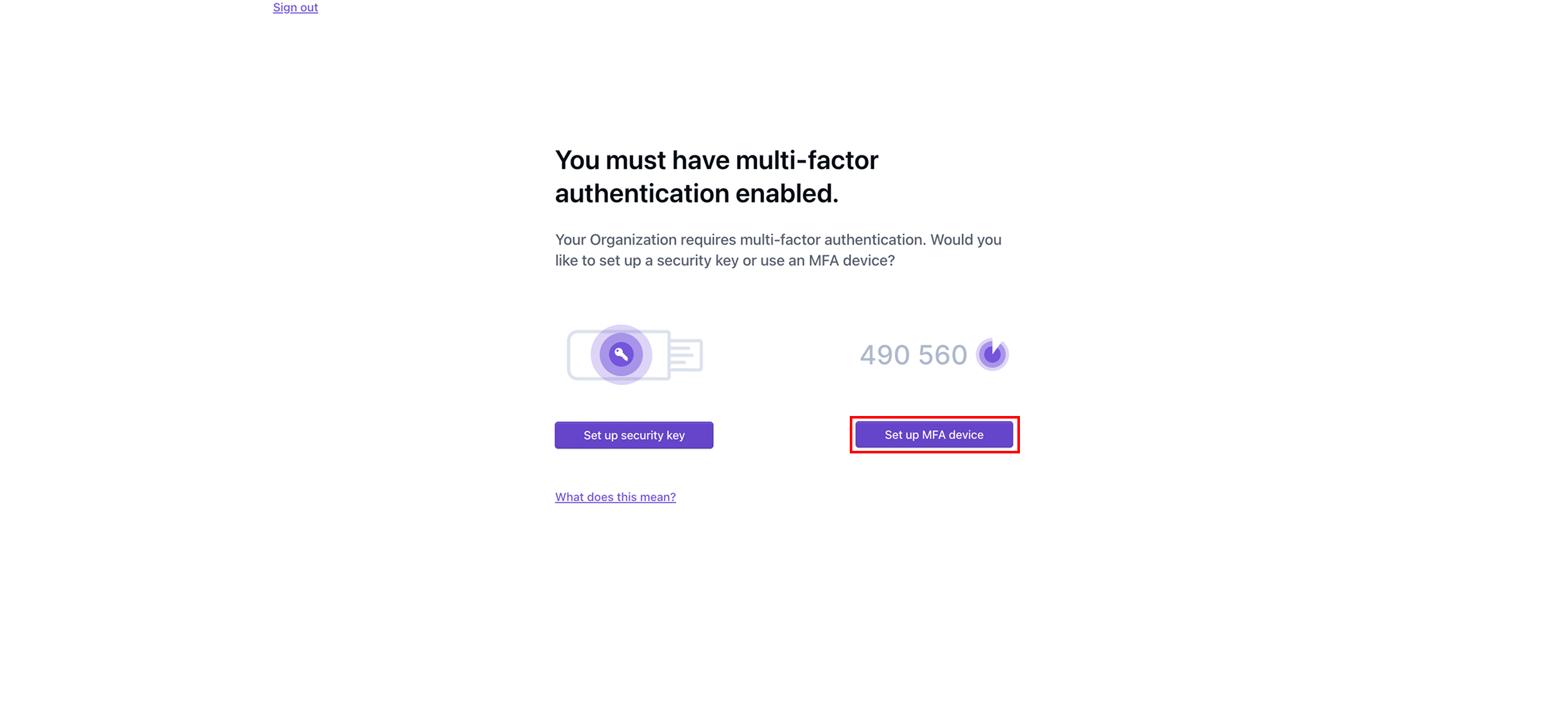
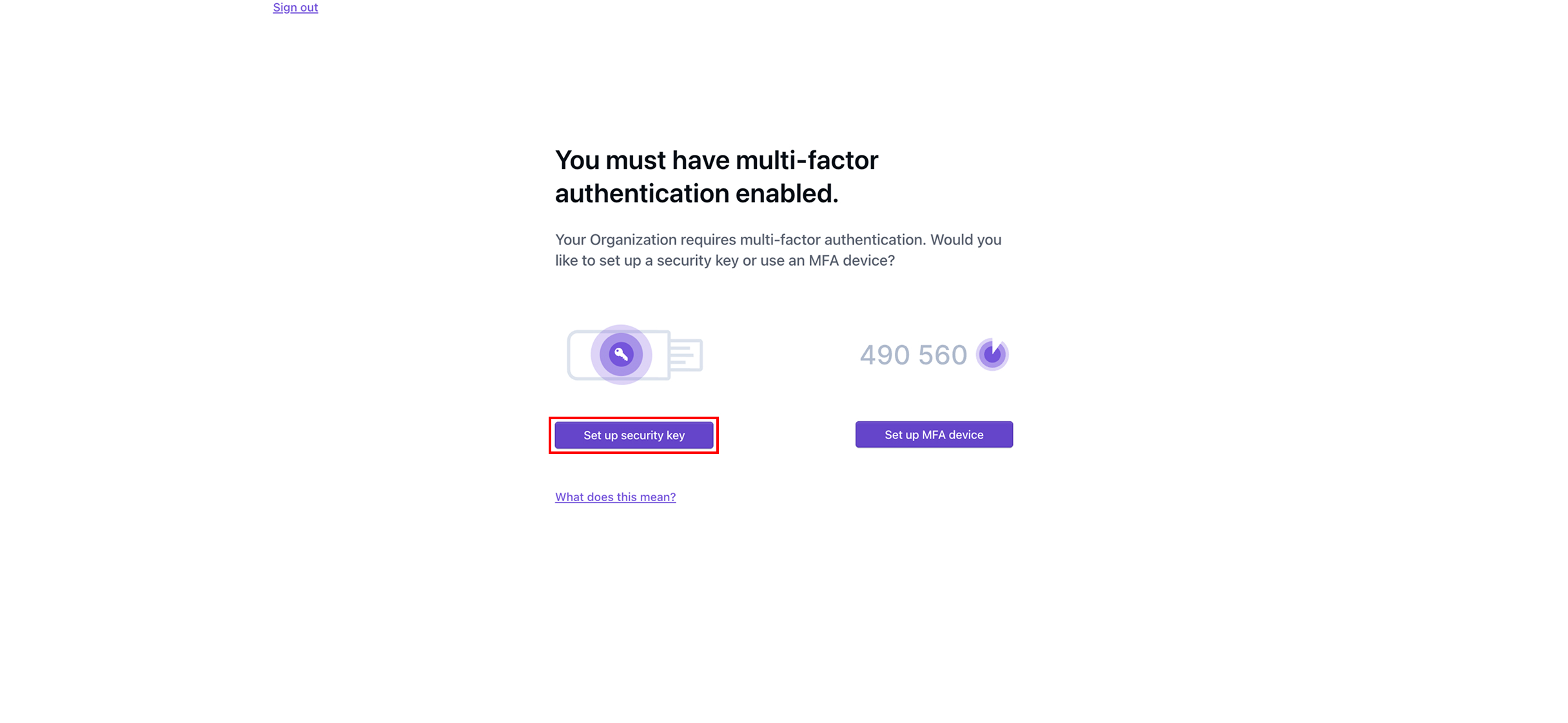
Si su organización requiere autenticación multifactor (MFA), se le pedirá que la configure. Puede [#set-up-mfa-device](#set-up-mfa-device "mention") o [#set-up-security-key](#set-up-security-key "mention"). Si su organización no requiere MFA, su cuenta ya estará completamente configurada y accederá al panel de Dispel.
{% endstep %}
{% step %}
#### Configurar dispositivo MFA
Pulse **Configurar dispositivo MFA**.
{% endstep %}
{% step %}
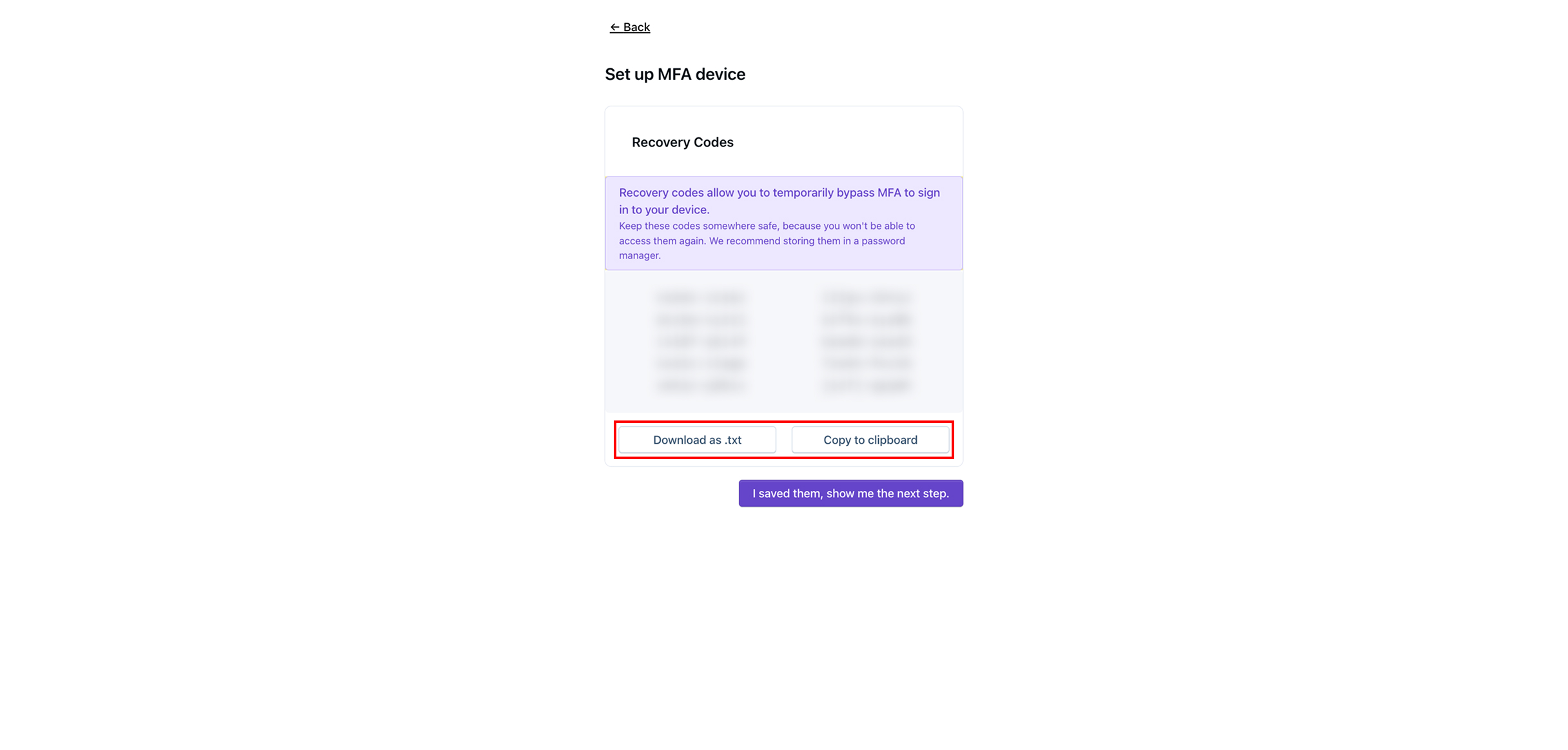
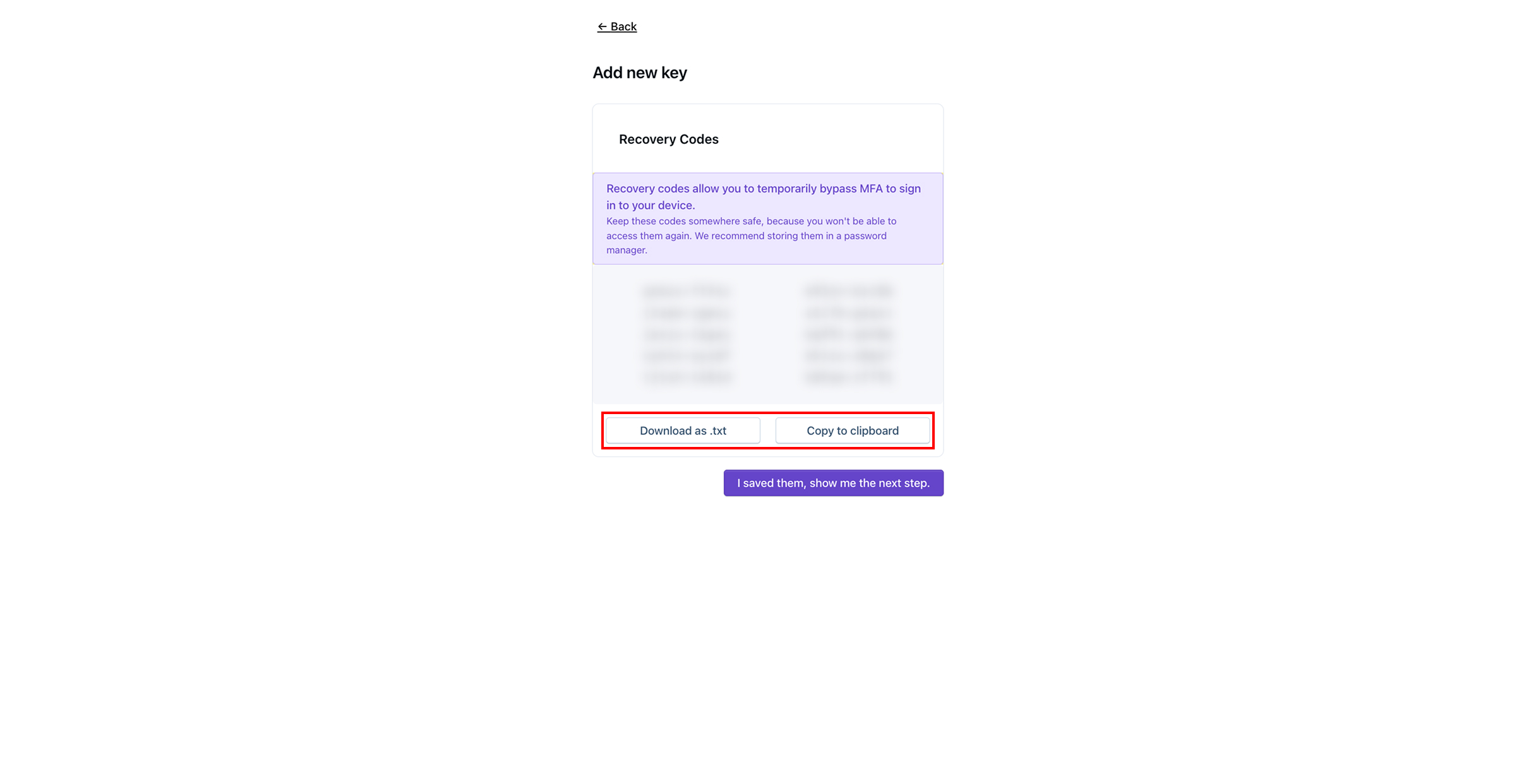
Guarde los códigos de recuperación pulsando **Descargar como .txt** o **Copiar al portapapeles**, y luego guárdelos en un lugar seguro.
{% hint style="info" %}
Los códigos de recuperación le permitirán omitir temporalmente la MFA para iniciar sesión en su cuenta en el futuro.
{% endhint %}
{% endstep %}
{% step %}
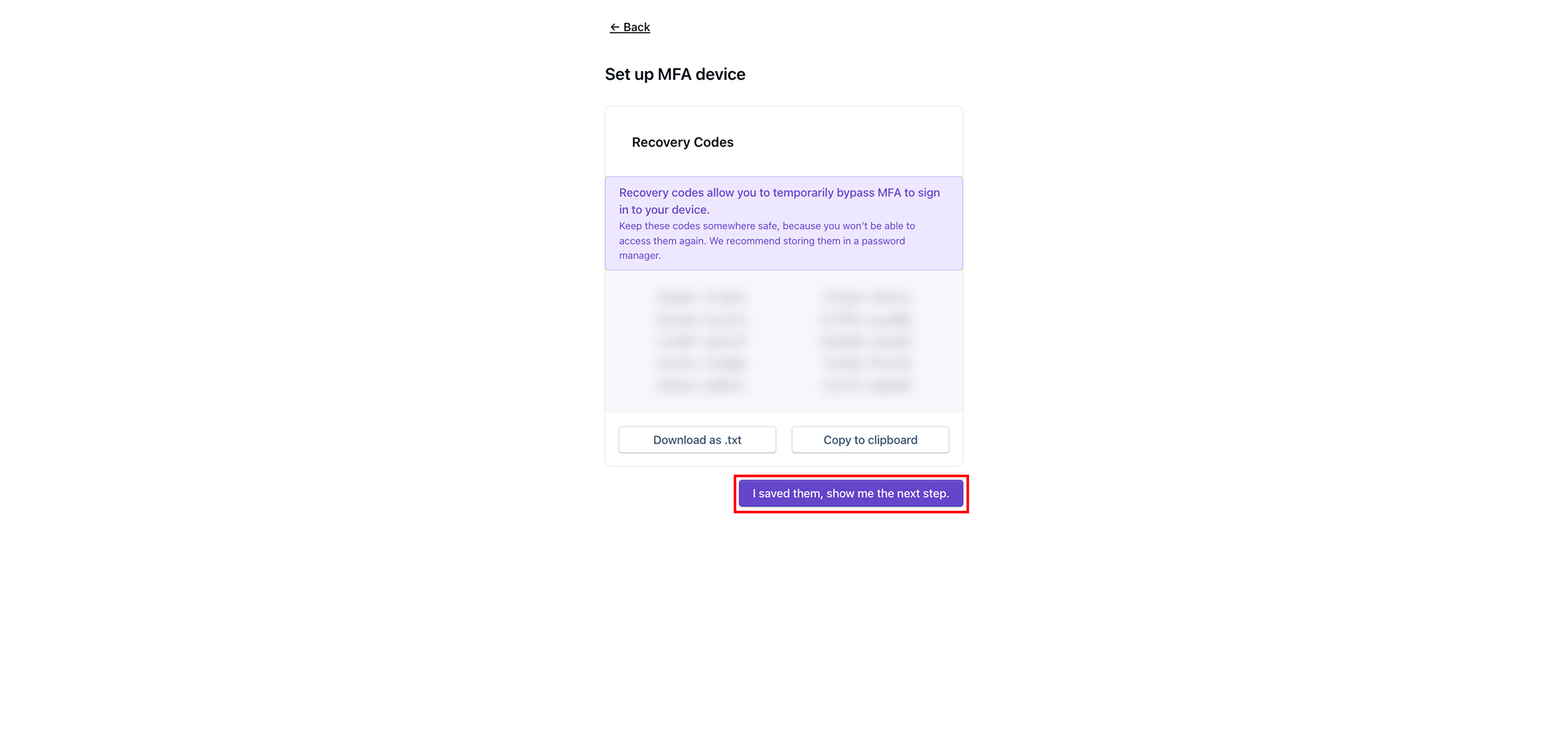
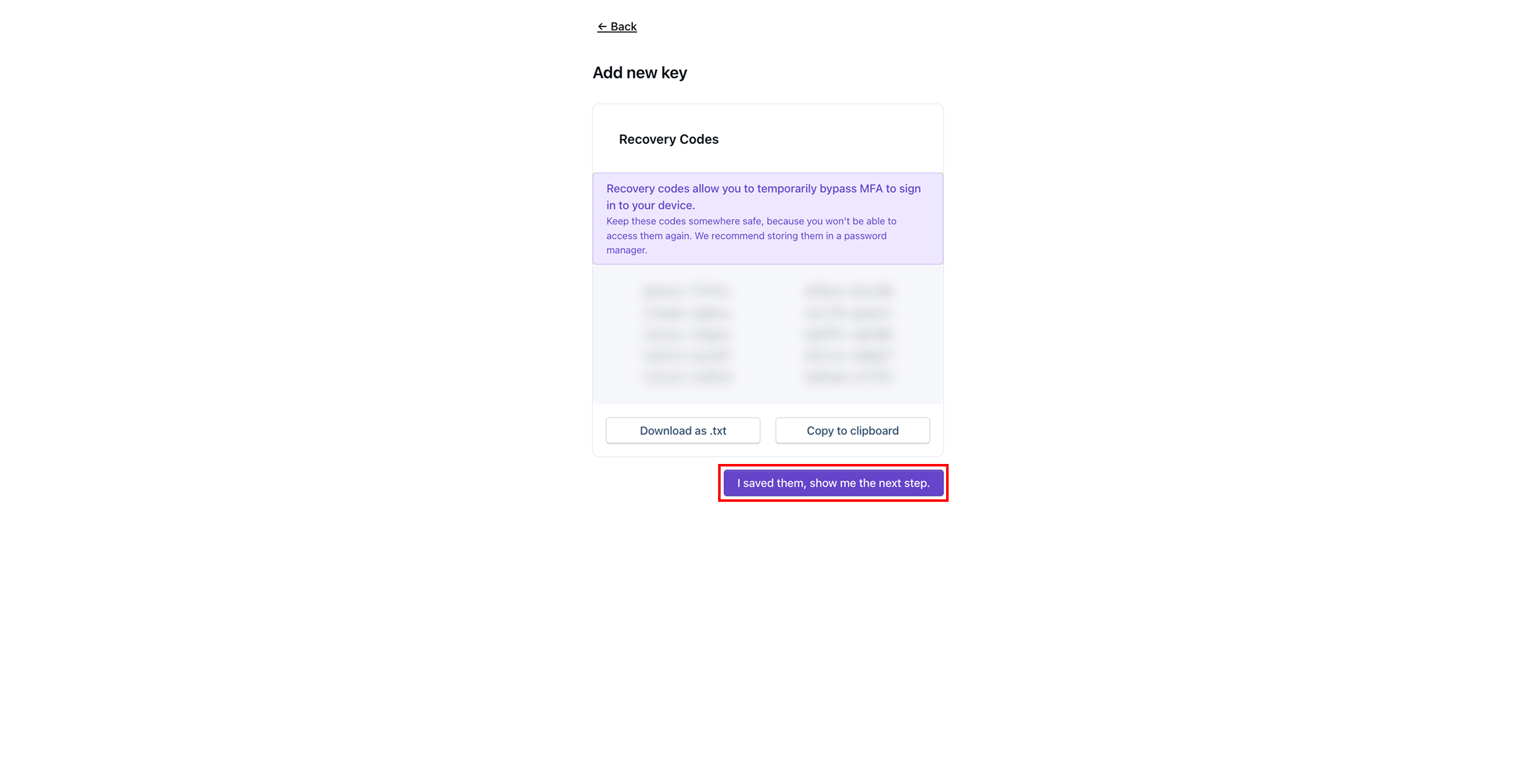
Una vez que haya guardado los códigos de recuperación, pulse **Los he guardado, muéstrame el siguiente paso.**
{% endstep %}
{% step %}
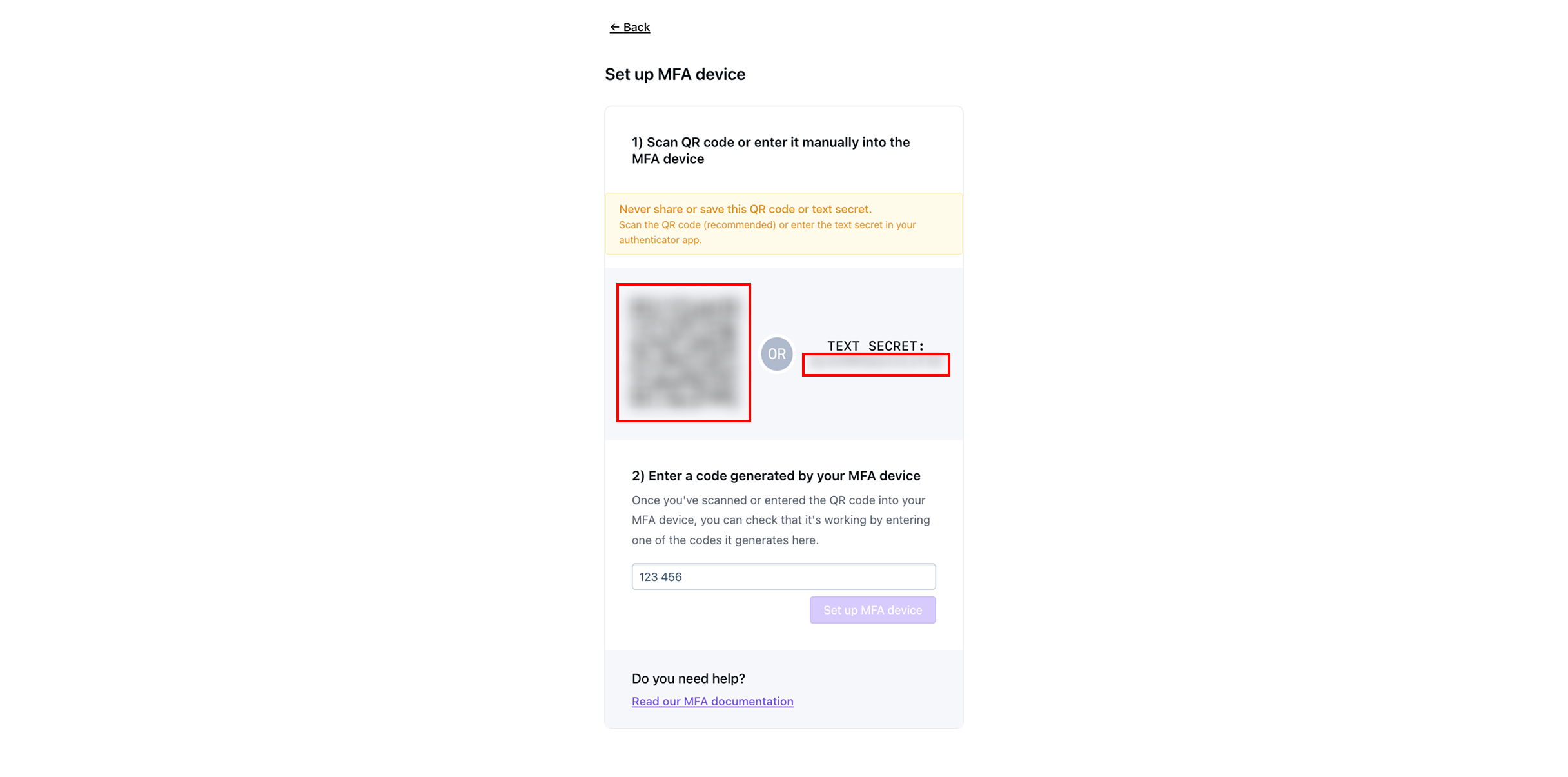
En la aplicación de MFA que elija, escanee el código QR o introduzca el secreto de texto.
{% hint style="info" %}
Algunas aplicaciones habituales de autenticación de dos factores son [Google Duo](https://guide.duo.com/third-party-accounts), Microsoft Authenticator o [1Password](https://support.1password.com/one-time-passwords/?mac).
{% endhint %}
{% endstep %}
{% step %}
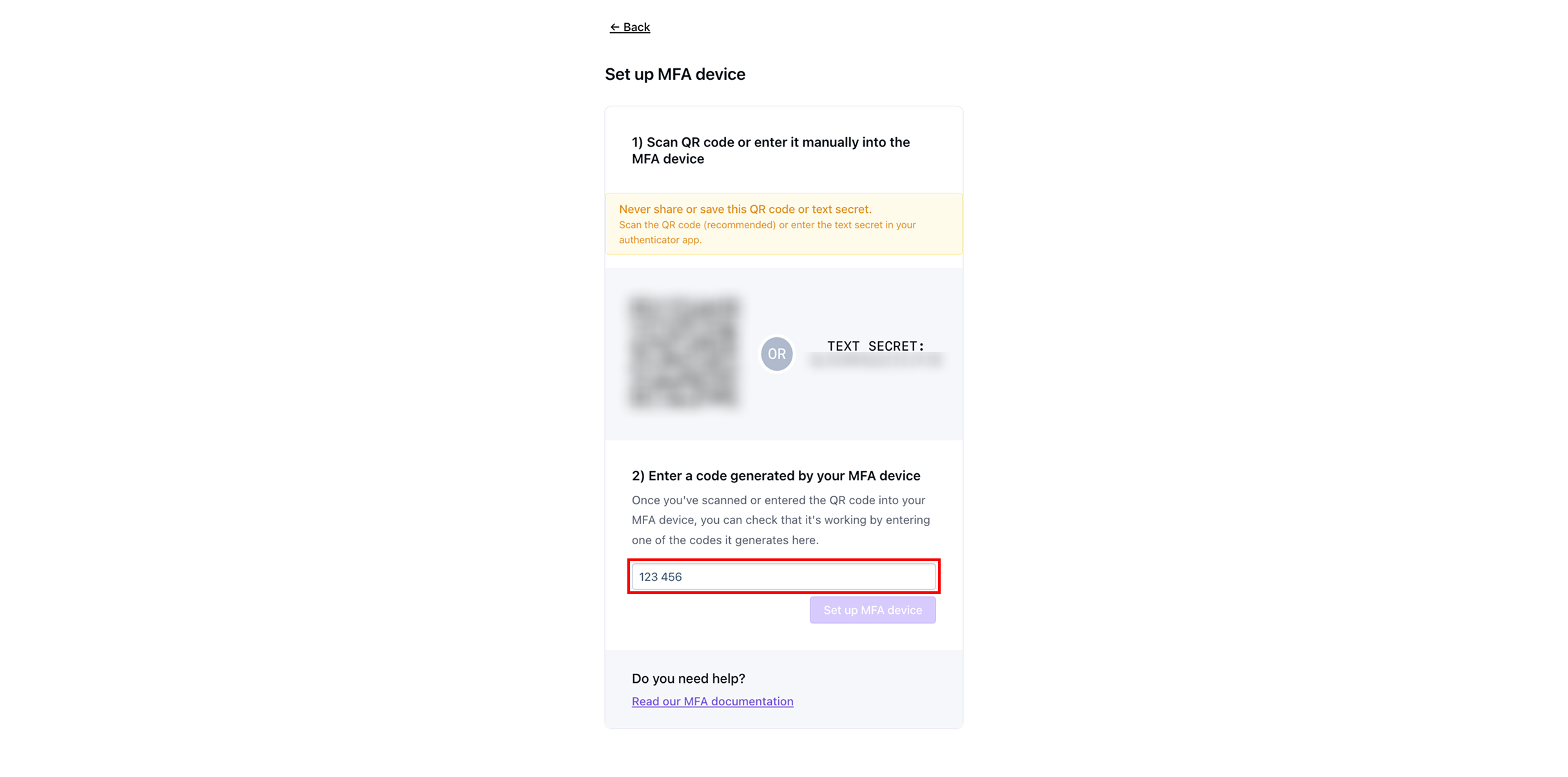
Introduzca el código de 6 dígitos que aparece en el dispositivo MFA.
{% endstep %}
{% step %}
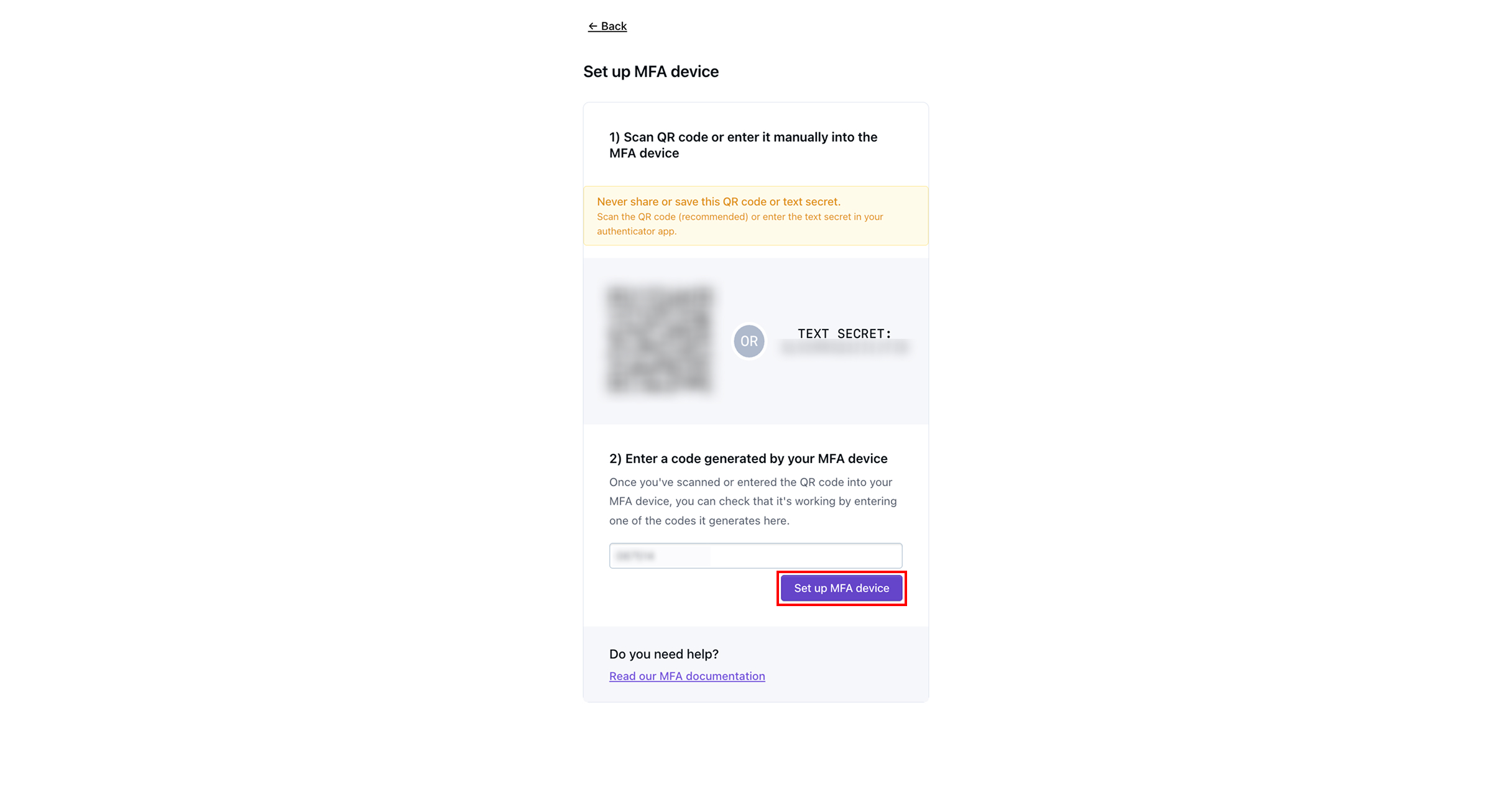
Pulse **Configurar dispositivo MFA.**
{% hint style="warning" %}
Debe pulsar «Configurar dispositivo MFA» antes de que caduque el código introducido desde su dispositivo MFA.
{% endhint %}
{% endstep %}
{% step %}
Pulse **Continuar.** Su cuenta ya estará completamente configurada y accederá al panel de Dispel.
{% endstep %}
{% step %}
#### Configurar clave de seguridad
Pulse **Configurar clave de seguridad.**
{% endstep %}
{% step %}
Guarde los códigos de recuperación pulsando **Descargar como .txt** o **Copiar al portapapeles**, y luego guárdelos en un lugar seguro.
{% hint style="info" %}
Los códigos de recuperación le permitirán omitir temporalmente la MFA para iniciar sesión en su cuenta en el futuro.
{% endhint %}
{% endstep %}
{% step %}
Una vez que haya guardado los códigos de recuperación, pulse **Los he guardado, muéstrame el siguiente paso.**
{% endstep %}
{% step %}
Introduzca un nombre para el dispositivo que utilizará como clave de seguridad.
{% endstep %}
{% step %}
Pulse **Añadir nueva clave**.
{% endstep %}
{% step %}
Conecte y active la clave. Siga los pasos para registrar su clave de seguridad.
{% endstep %}
{% step %}
Pulse **Continuar.** Su cuenta ya estará completamente configurada y accederá al panel de Dispel.
{% endstep %}
{% endstepper %}
## Próximos pasos
{% content-ref url="/pages/e70a0a062bfaf7848569d3cd10843757f2bc78cc" %}
[Solicitar una ventana de acceso](https://docs.dispel.com/documentation/documentation-es/conectarte-a-tus-sistemas/access-windows/request-an-access-window.md)
{% endcontent-ref %}
{% content-ref url="/pages/e3b73a7ae768e738ac212ca156a39a1ce4c82de4" %}
[Métodos de conexión](https://docs.dispel.com/documentation/documentation-es/conectarte-a-tus-sistemas/connection-methods.md)
{% endcontent-ref %}
---
# Agent Instructions
This documentation is published with GitBook. GitBook is the documentation platform designed so that both humans and AI agents can read, navigate, and reason over technical content effectively. Learn more at gitbook.com.
## Querying This Documentation
If you need additional information that is not directly available in this page, you can query the documentation by asking a question.
Perform an HTTP GET request on the following URL with the `ask` and `goal` query parameters:
```
GET https://docs.dispel.com/documentation/documentation-es/gestionar-usuarios-y-acceso/users/create-a-dispel-account.md?ask=&goal=
```
`ask` is the immediate question: it should be specific, self-contained, and written in natural language.
`goal` is what the user is ultimately trying to achieve, the reason they need the answer. Sharing it helps GitBook give you a better, more relevant answer. A goal is most helpful when it describes the outcome the user wants rather than restating the question. For example, with `ask=how do I create an API token`, a goal like `automate deployments from our CI pipeline` lets GitBook tailor the answer to that use case.
The response will contain a direct answer to the question and relevant excerpts and sources from the documentation.
Use this mechanism when the answer is not explicitly present in the current page, you need clarification or additional context, or you want to retrieve related documentation sections.