> For the complete documentation index, see [llms.txt](https://docs.dispel.com/llms.txt). Markdown versions of documentation pages are available by appending `.md` to page URLs; this page is available as [Markdown](https://docs.dispel.com/documentation/documentation-fr/bienvenue.md).

# Bienvenue

Un accès distant sécurisé qui permet à votre équipe et à vos fournisseurs d’atteindre les bons appareils en quelques minutes.

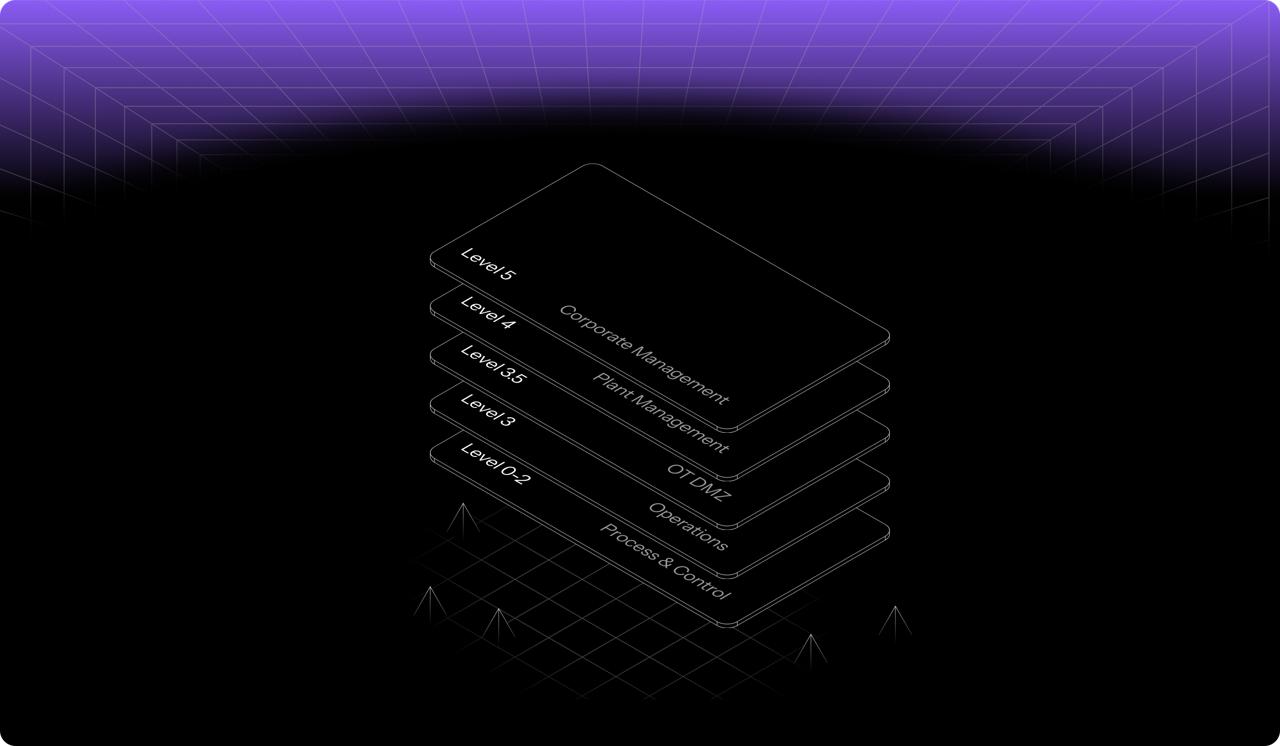
<figure><img src="https://1718515500-files.gitbook.io/~/files/v0/b/gitbook-x-prod.appspot.com/o/spaces%2F5T5Fo32wwisEqZbODG7j%2Fuploads%2Fgit-blob-14327eb6f3af68893d1fcba7453262607d609a18%2F6f13f6d2-4aa1-40b8-816a-1912c8472eb9.png?alt=media" alt="Dispel&#x27;s layered access model across facility levels, from corporate management down to process and control"><figcaption></figcaption></figure>

## Démarrer

Vous découvrez Dispel ? Commencez ici.

<table data-card-size="large" data-view="cards"><thead><tr><th></th><th></th><th data-hidden data-card-target data-type="content-ref"></th></tr></thead><tbody><tr><td><strong>Bien démarrer avec Dispel</strong></td><td>Configurez votre organisation et établissez votre première connexion.</td><td><a href="/documentation/documentation-fr/commencer/getting-started-with-dispel.md">Prise en main de Dispel</a></td></tr><tr><td><strong>Guide de démarrage rapide pour les utilisateurs</strong></td><td>Connectez-vous, demandez l’accès et connectez-vous à un appareil.</td><td><a href="/documentation/documentation-fr/commencer/getting-started-with-dispel/user-quick-start-guide.md">Guide de démarrage rapide pour l’utilisateur</a></td></tr><tr><td><strong>Terminologie clé</strong></td><td>Les concepts de base : les sites, les fenêtres d’accès et les Wickets.</td><td><a href="/documentation/documentation-fr/commencer/key-terminology.md">Terminologie clé</a></td></tr></tbody></table>

## Se connecter aux sites

<table data-view="cards"><thead><tr><th></th><th></th><th data-hidden data-card-target data-type="content-ref"></th></tr></thead><tbody><tr><td><strong>Fenêtres d’accès</strong></td><td>Demandez, approuvez et gérez un accès limité dans le temps à un site.</td><td><a href="/documentation/documentation-fr/connectez-vous-a-vos-systemes/access-windows.md">Fenêtres d’accès</a></td></tr><tr><td><strong>Browser Connect</strong></td><td>Accédez à un appareil depuis votre navigateur, sans rien installer.</td><td><a href="/documentation/documentation-fr/connectez-vous-a-vos-systemes/connection-methods/browser-connect.md">Browser Connect</a></td></tr><tr><td><strong>Bureaux virtuels</strong></td><td>Réservez un bureau au sein du réseau du site.</td><td><a href="/documentation/documentation-fr/connectez-vous-a-vos-systemes/connection-methods/virtual-desktops.md">Bureaux virtuels</a></td></tr></tbody></table>

## Gérez votre organisation

<table data-view="cards"><thead><tr><th></th><th></th><th data-hidden data-card-target data-type="content-ref"></th></tr></thead><tbody><tr><td><strong>Utilisateurs</strong></td><td>Invitez des personnes, définissez leurs rôles et gérez les accès.</td><td><a href="/documentation/documentation-fr/gerez-les-utilisateurs-et-les-acces/users.md">Utilisateurs</a></td></tr><tr><td><strong>Groupes</strong></td><td>Attribuez des autorisations et des accès à plusieurs personnes à la fois.</td><td><a href="/documentation/documentation-fr/gerez-les-utilisateurs-et-les-acces/groups.md">Groupes</a></td></tr><tr><td><strong>Rôles et autorisations</strong></td><td>Ce que chaque rôle peut faire à l’échelle de l’organisation, des régions et des sites.</td><td><a href="/documentation/documentation-fr/gerez-les-utilisateurs-et-les-acces/permissions.md">Rôles et autorisations</a></td></tr><tr><td><strong>Paramètres</strong></td><td>Image de marque, points de contact et options à l’échelle de l’organisation.</td><td><a href="/documentation/documentation-fr/integrer-et-administrer/settings.md">Paramètres</a></td></tr></tbody></table>

## Sécuriser et surveiller

<table data-view="cards"><thead><tr><th></th><th></th><th data-hidden data-card-target data-type="content-ref"></th></tr></thead><tbody><tr><td><strong>Générateur de politiques</strong></td><td>Définissez qui doit relever le défi MFA lors de la connexion, et comment.</td><td><a href="/documentation/documentation-fr/securiser-et-gouverner/policy-builder.md">Constructeur de règles</a></td></tr><tr><td><strong>Analyse forensique des sessions</strong></td><td>Consultez le niveau de risque par session et ce qui s’est passé pendant une connexion.</td><td><a href="/documentation/documentation-fr/surveiller-et-enqueter/risk-factor-analysis.md">Investigations de session - Analyse des facteurs de risque</a></td></tr><tr><td><strong>Rapports</strong></td><td>Exportez les accès et l’activité pour les audits.</td><td><a href="/documentation/documentation-fr/surveiller-et-enqueter/reports.md">Rapports</a></td></tr><tr><td><strong>Conformité</strong></td><td>Faites correspondre les contrôles Dispel à IEC 62443, au NIST, et plus encore.</td><td><a href="/documentation/documentation-fr/securiser-et-gouverner/overview.md">Conformité</a></td></tr></tbody></table>


---

# Agent Instructions
This documentation is published with GitBook. GitBook is the documentation platform designed so that both humans and AI agents can read, navigate, and reason over technical content effectively. Learn more at gitbook.com.

## Querying This Documentation
If you need additional information that is not directly available in this page, you can query the documentation by asking a question.

Perform an HTTP GET request on the following URL with the `ask` and `goal` query parameters:

```
GET https://docs.dispel.com/documentation/documentation-fr/bienvenue.md?ask=<question>&goal=<user_goal>
```

`ask` is the immediate question: it should be specific, self-contained, and written in natural language.
`goal` is what the user is ultimately trying to achieve, the reason they need the answer. Sharing it helps GitBook give you a better, more relevant answer. A goal is most helpful when it describes the outcome the user wants rather than restating the question. For example, with `ask=how do I create an API token`, a goal like `automate deployments from our CI pipeline` lets GitBook tailor the answer to that use case.

The response will contain a direct answer to the question and relevant excerpts and sources from the documentation.

Use this mechanism when the answer is not explicitly present in the current page, you need clarification or additional context, or you want to retrieve related documentation sections.
