> For the complete documentation index, see [llms.txt](https://docs.dispel.com/llms.txt). Markdown versions of documentation pages are available by appending `.md` to page URLs; this page is available as [Markdown](https://docs.dispel.com/documentation/documentation-ja/youkoso.md). Agents can also search and read this documentation through its [MCP server](https://docs.dispel.com/~gitbook/mcp).

# ようこそ

チームとベンダーが数分で適切なデバイスに到達できる、安全なリモートアクセス。

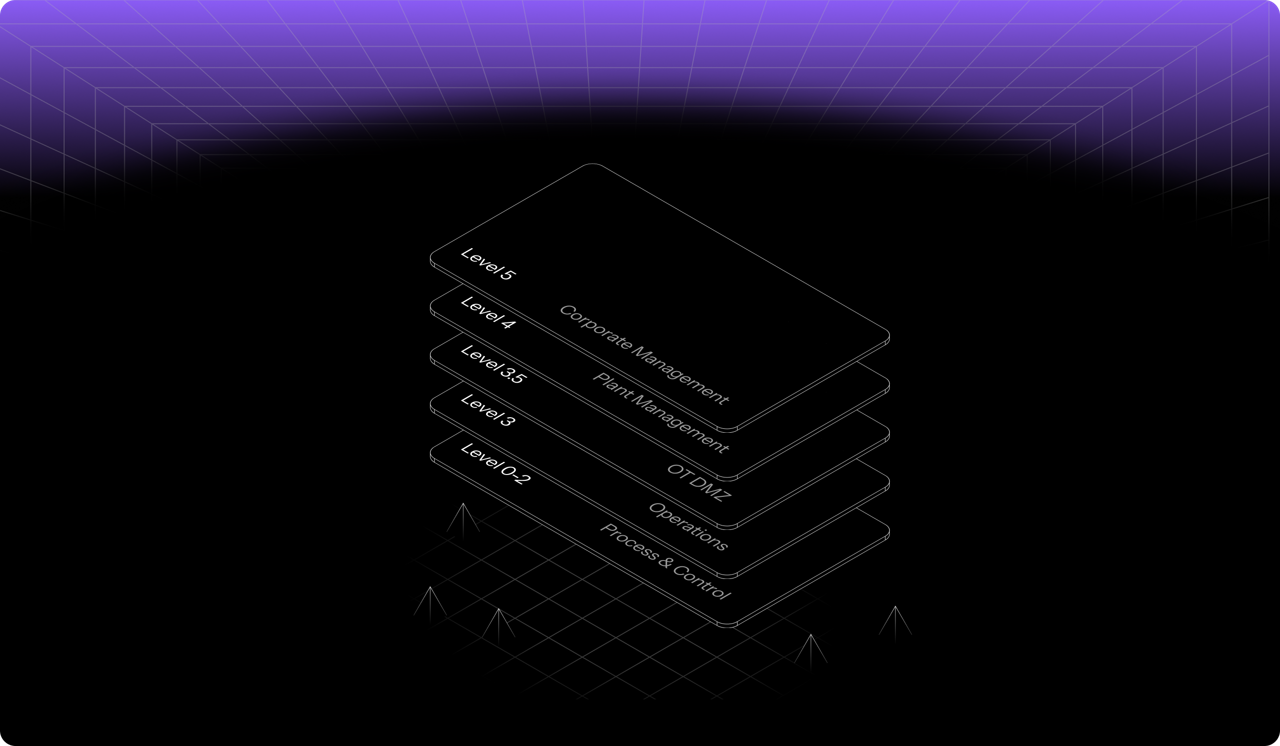
<figure><img src="https://2841354894-files.gitbook.io/~/files/v0/b/gitbook-x-prod.appspot.com/o/spaces%2F5T5Fo32wwisEqZbODG7j%2Fuploads%2Fgit-blob-14327eb6f3af68893d1fcba7453262607d609a18%2F6f13f6d2-4aa1-40b8-816a-1912c8472eb9.png?alt=media" alt="Dispel&#x27;s layered access model across facility levels, from corporate management down to process and control"><figcaption></figcaption></figure>

## はじめに

Dispelを初めてご利用ですか？こちらから始めましょう。

<table data-card-size="large" data-view="cards"><thead><tr><th></th><th></th><th data-hidden data-card-target data-type="content-ref"></th></tr></thead><tbody><tr><td><strong>Dispelを使い始める</strong></td><td>組織を設定して、最初の接続を確立しましょう。</td><td><a href="https://docs.dispel.com/documentation/documentation-ja/meru/getting-started-with-dispel.md">Dispel の使い始め</a></td></tr><tr><td><strong>ユーザー向けクイックスタートガイド</strong></td><td>サインインし、アクセスをリクエストして、デバイスに接続しましょう。</td><td><a href="https://docs.dispel.com/documentation/documentation-ja/meru/getting-started-with-dispel/user-quick-start-guide.md">ユーザー クイック スタート ガイド</a></td></tr><tr><td><strong>主要用語</strong></td><td>基本概念：施設、アクセスウィンドウ、Wicket。</td><td><a href="https://docs.dispel.com/documentation/documentation-ja/meru/key-terminology.md">主要用語</a></td></tr></tbody></table>

## 施設に接続する

<table data-view="cards"><thead><tr><th></th><th></th><th data-hidden data-card-target data-type="content-ref"></th></tr></thead><tbody><tr><td><strong>アクセス可能時間帯</strong></td><td>施設への時間制限付きアクセスをリクエスト、承認、管理します。</td><td><a href="https://docs.dispel.com/documentation/documentation-ja/shisutemunisuru/access-windows.md">アクセス ウィンドウ</a></td></tr><tr><td><strong>Browser Connect</strong></td><td>インストール不要で、ブラウザーからデバイスにアクセスできます。</td><td><a href="https://docs.dispel.com/documentation/documentation-ja/shisutemunisuru/connection-methods/browser-connect.md">Browser Connect</a></td></tr><tr><td><strong>仮想デスクトップ</strong></td><td>施設のネットワーク内のデスクトップを予約します。</td><td><a href="https://docs.dispel.com/documentation/documentation-ja/shisutemunisuru/connection-methods/virtual-desktops.md">仮想デスクトップ</a></td></tr></tbody></table>

## 組織を管理する

<table data-view="cards"><thead><tr><th></th><th></th><th data-hidden data-card-target data-type="content-ref"></th></tr></thead><tbody><tr><td><strong>ユーザー</strong></td><td>ユーザーを招待し、役割を設定して、アクセスを管理します。</td><td><a href="https://docs.dispel.com/documentation/documentation-ja/yztoakusesuwosuru/users.md">ユーザー</a></td></tr><tr><td><strong>グループ</strong></td><td>複数のユーザーに権限とアクセスを一括で割り当てます。</td><td><a href="https://docs.dispel.com/documentation/documentation-ja/yztoakusesuwosuru/groups.md">グループ</a></td></tr><tr><td><strong>役割と権限</strong></td><td>組織、地域、施設全体で各役割が実行できる操作。</td><td><a href="https://docs.dispel.com/documentation/documentation-ja/yztoakusesuwosuru/permissions.md">ロールと権限</a></td></tr><tr><td><strong>設定</strong></td><td>ブランディング、連絡先、組織全体に適用されるオプション。</td><td><a href="https://docs.dispel.com/documentation/documentation-ja/shisuru-2/settings.md">設定</a></td></tr></tbody></table>

## セキュリティを確保し、監視する

<table data-view="cards"><thead><tr><th></th><th></th><th data-hidden data-card-target data-type="content-ref"></th></tr></thead><tbody><tr><td><strong>ポリシービルダー</strong></td><td>サインイン時に誰にどのようなMFAチャレンジを求めるかを設定します。</td><td><a href="https://docs.dispel.com/documentation/documentation-ja/shisuru/policy-builder.md">ポリシー ビルダー</a></td></tr><tr><td><strong>セッションフォレンジック</strong></td><td>セッションごとのリスクと、接続中に発生したことを確認します。</td><td><a href="https://docs.dispel.com/documentation/documentation-ja/shisuru-1/risk-factor-analysis.md">セッション フォレンジクス - リスク要因分析</a></td></tr><tr><td><strong>レポート</strong></td><td>監査用にアクセスとアクティビティをエクスポートします。</td><td><a href="https://docs.dispel.com/documentation/documentation-ja/shisuru-1/reports.md">レポート</a></td></tr><tr><td><strong>コンプライアンス</strong></td><td>Dispelのセキュリティ対策をIEC 62443、NISTなどの基準に対応付けます。</td><td><a href="https://docs.dispel.com/documentation/documentation-ja/shisuru/overview.md">コンプライアンス</a></td></tr></tbody></table>


---

# Agent Instructions
This documentation is published with GitBook. GitBook is the documentation platform designed so that both humans and AI agents can read, navigate, and reason over technical content effectively. Learn more at gitbook.com.

## Querying This Documentation
If you need additional information that is not directly available in this page, you can query the documentation by asking a question.

Perform an HTTP GET request on the following URL with the `ask` and `goal` query parameters:

```
GET https://docs.dispel.com/documentation/documentation-ja/youkoso.md?ask=<question>&goal=<user_goal>
```

`ask` is the immediate question: it should be specific, self-contained, and written in natural language.
`goal` is what the user is ultimately trying to achieve, the reason they need the answer. Sharing it helps GitBook give you a better, more relevant answer. A goal is most helpful when it describes the outcome the user wants rather than restating the question. For example, with `ask=how do I create an API token`, a goal like `automate deployments from our CI pipeline` lets GitBook tailor the answer to that use case.

The response will contain a direct answer to the question and relevant excerpts and sources from the documentation.

Use this mechanism when the answer is not explicitly present in the current page, you need clarification or additional context, or you want to retrieve related documentation sections.
