> For the complete documentation index, see [llms.txt](https://docs.dispel.com/llms.txt). Markdown versions of documentation pages are available by appending `.md` to page URLs; this page is available as [Markdown](https://docs.dispel.com/documentation/documentation-nl/gebruikers-en-toegang-beheren/users/create-a-dispel-account.md).
# Maak een Dispel-account aan
## Overzicht
Een Dispel-account aanmaken is de eerste stap om via Dispel verbinding te maken met je site. Om een Dispel-account aan te maken, moet je een uitnodiging via e-mail hebben ontvangen of een uitnodigingslink hebben gekregen van een beheerder binnen je Dispel-implementatie.
## Een Dispel-account aanmaken
{% stepper %}
{% step %}
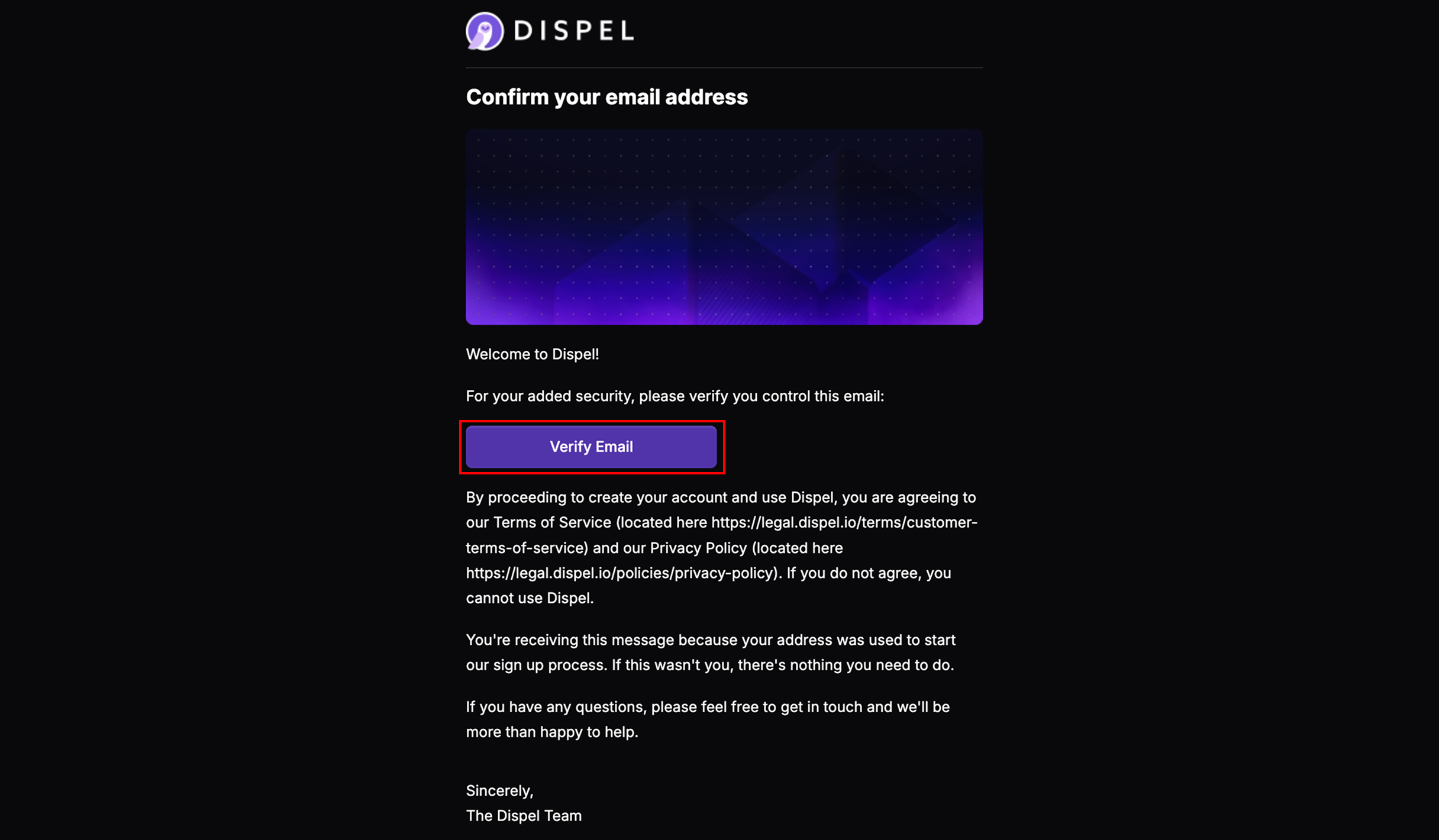
Om een Dispel-account aan te maken, moet je eerst worden uitgenodigd voor een organisatie. Je ontvangt een uitnodiging via e-mail, zoals hieronder te zien is, of een beheerder verstrekt je een uitnodigingslink. Klik **E-mail verifiëren** of open de uitnodigingslink die naar je is verzonden.
{% endstep %}
{% step %}
Selecteer de gewenste taal.
{% endstep %}
{% step %}
Tik op **Ga verder om je naam in te stellen**.
{% endstep %}
{% step %}
Voer je naam in.
{% endstep %}
{% step %}
Tik op **Ga verder om je wachtwoord in te stellen**.
{% endstep %}
{% step %}
Voer het gewenste wachtwoord voor Dispel twee keer in.
{% endstep %}
{% step %}
Vink aan om het Privacybeleid en het toestemmingsformulier voor betrokkenen van Dispel te bevestigen.
{% endstep %}
{% step %}
Tik op **Nieuw wachtwoord instellen.**
{% endstep %}
{% step %}
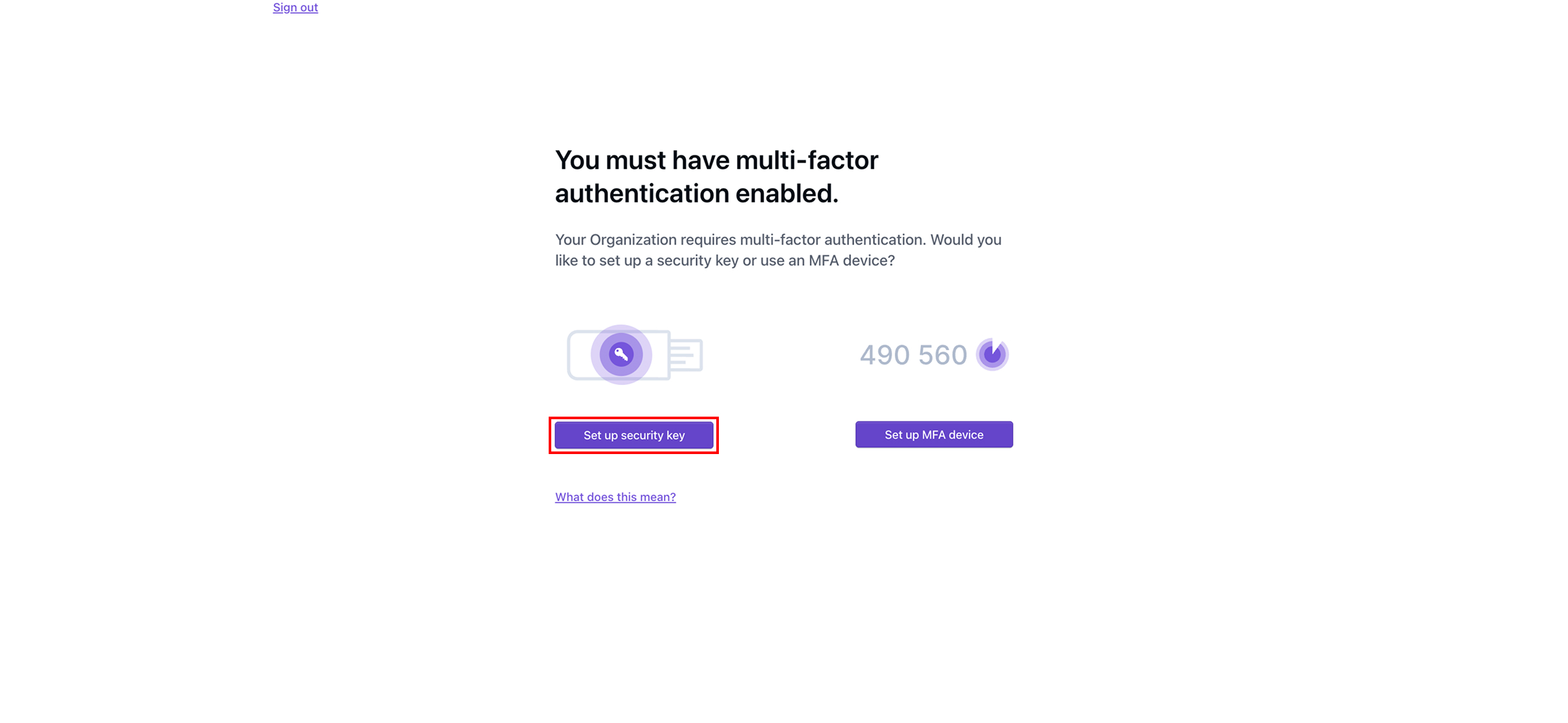
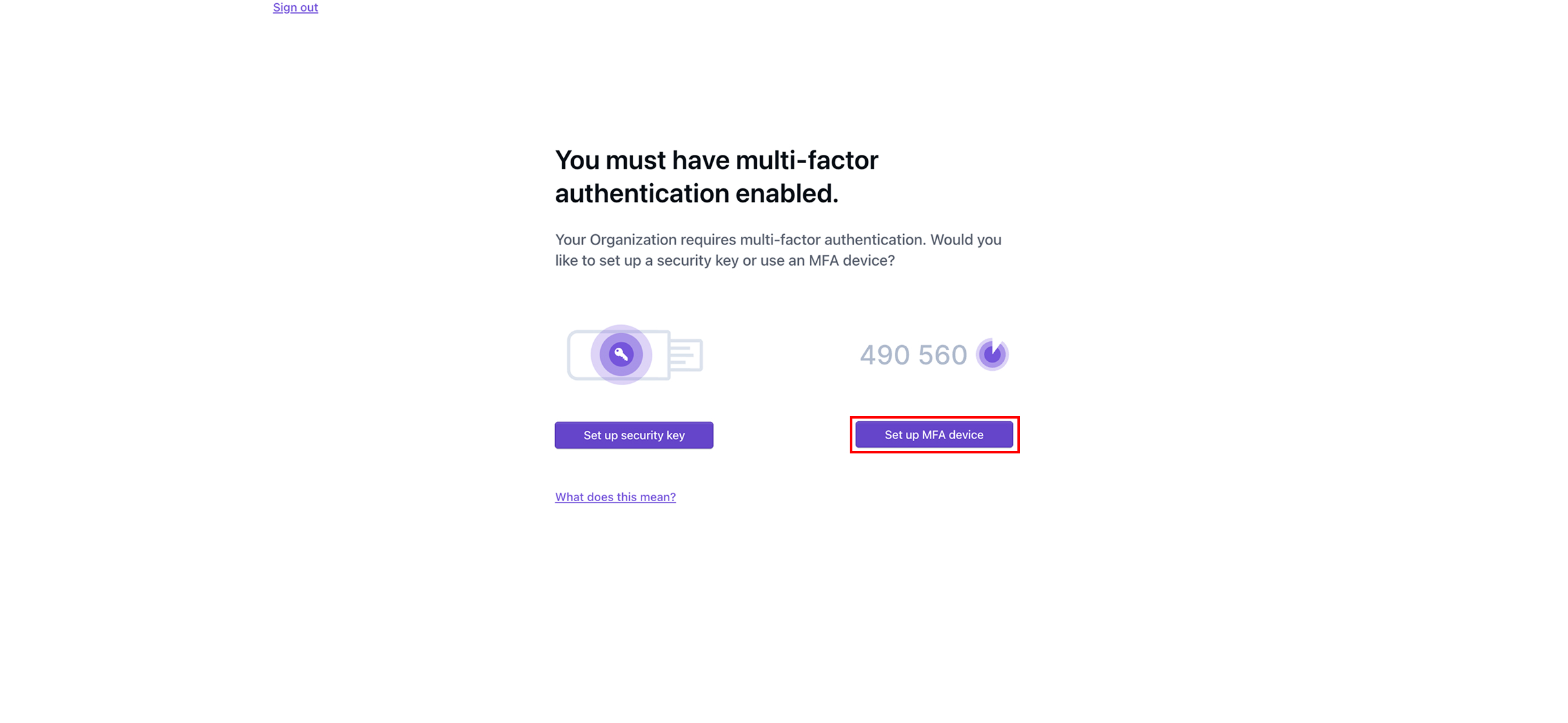
Als je organisatie multi-factor authenticatie (MFA) vereist, wordt je nu gevraagd MFA in te stellen. Je kunt dan [#set-up-mfa-device](#set-up-mfa-device "mention") of [#set-up-security-key](#set-up-security-key "mention"). Als je organisatie geen MFA vereist, is je account nu volledig ingesteld en word je naar het Dispel-dashboard gebracht.
{% endstep %}
{% step %}
#### MFA-apparaat instellen
Tik op **MFA-apparaat instellen**.
{% endstep %}
{% step %}
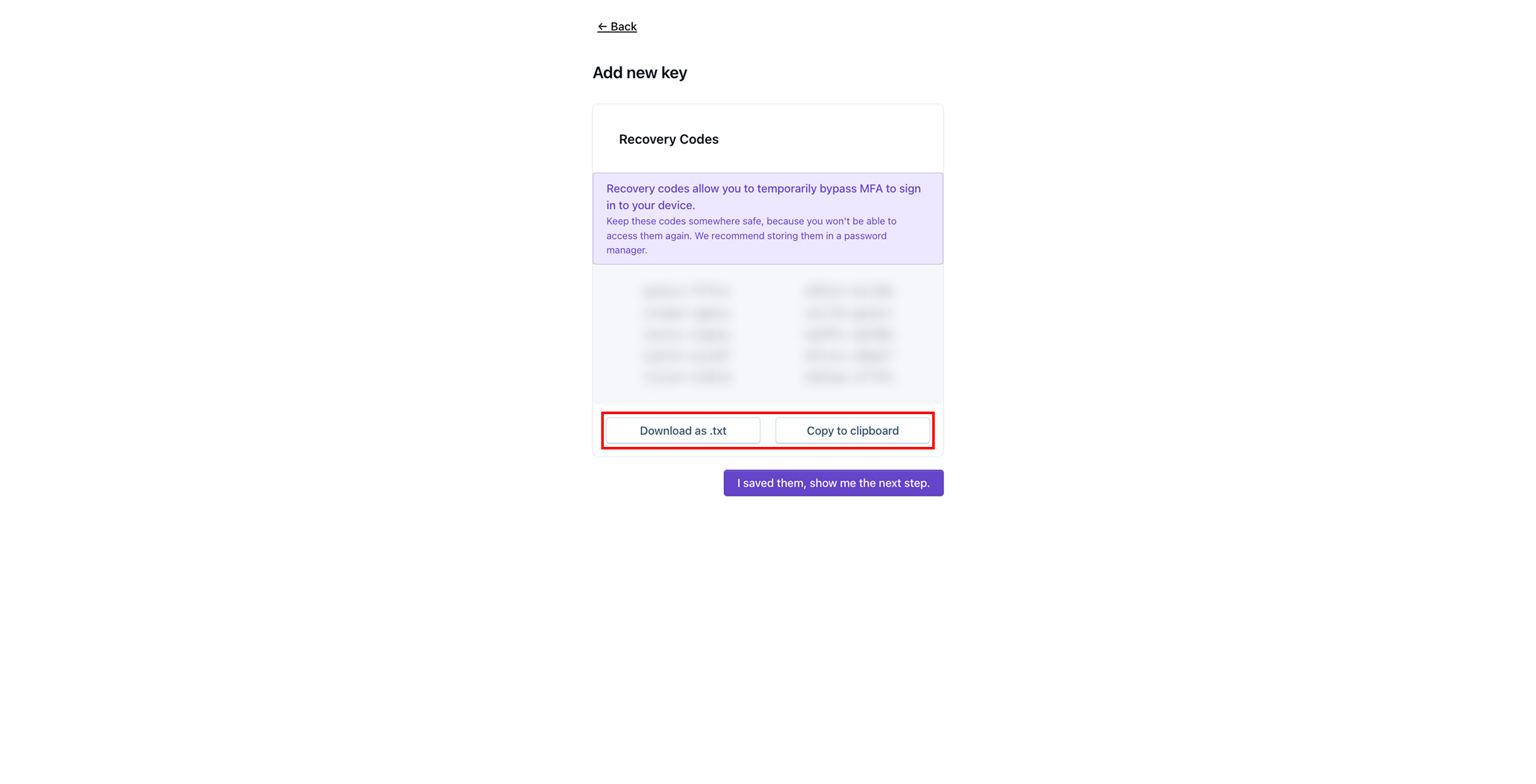
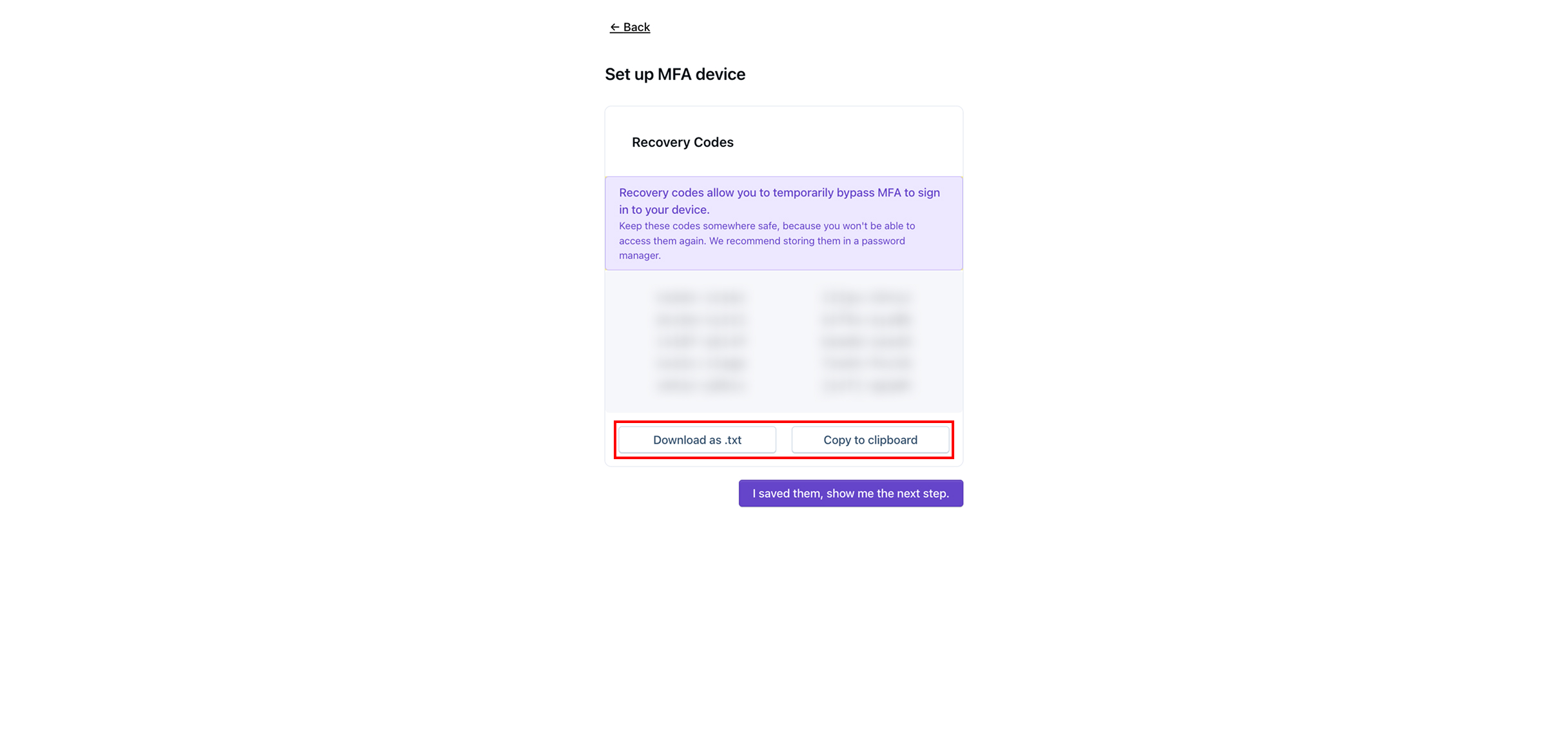
Sla de herstelcodes op door op **Downloaden als .txt** of **Kopiëren naar klembord**te tikken en sla de herstelcodes vervolgens ergens veilig op.
{% hint style="info" %}
Met herstelcodes kun je MFA tijdelijk omzeilen om in de toekomst in te loggen op je account.
{% endhint %}
{% endstep %}
{% step %}
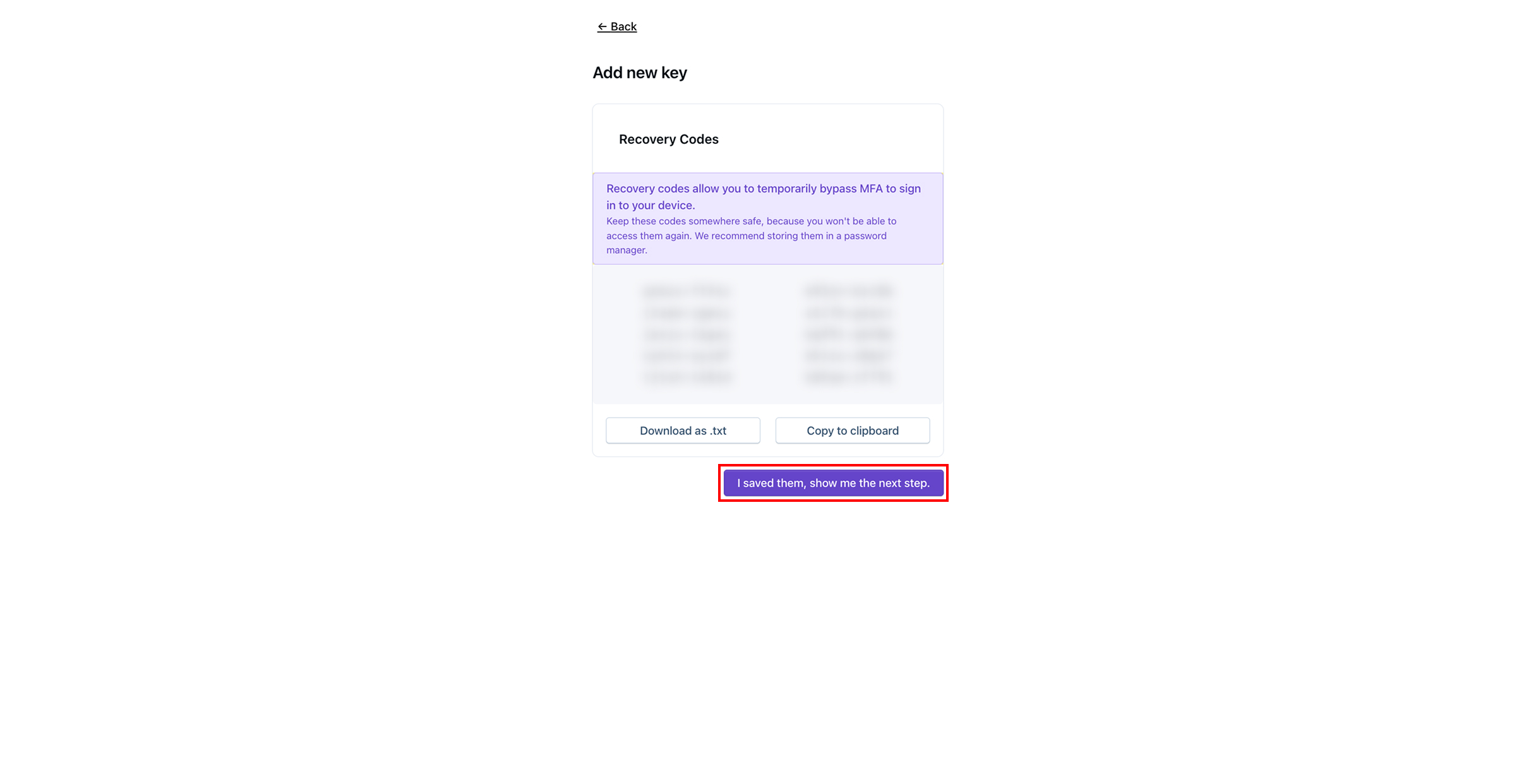
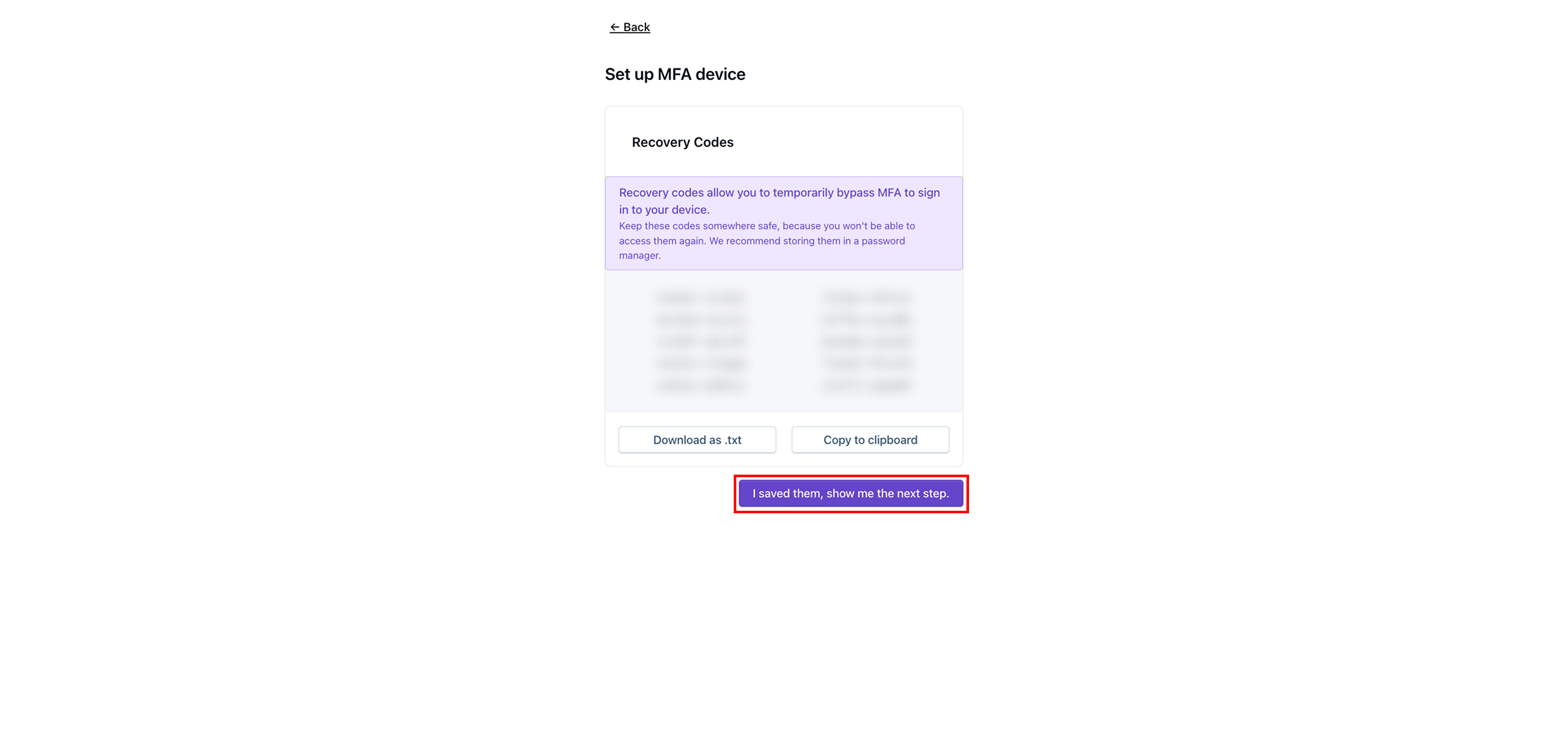
Zodra je de herstelcodes hebt opgeslagen, tik je op **Ik heb ze opgeslagen, laat me de volgende stap zien.**
{% endstep %}
{% step %}
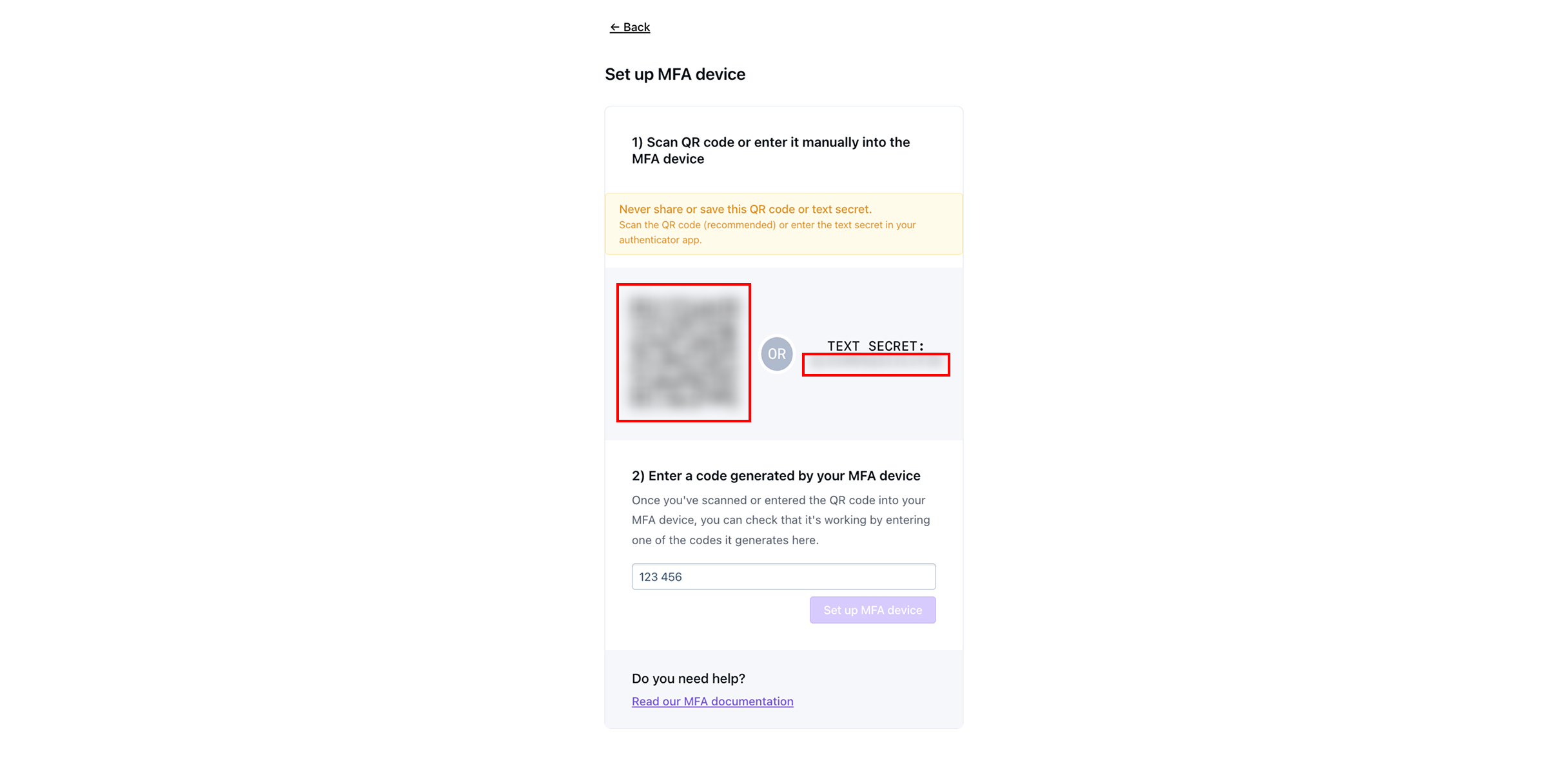
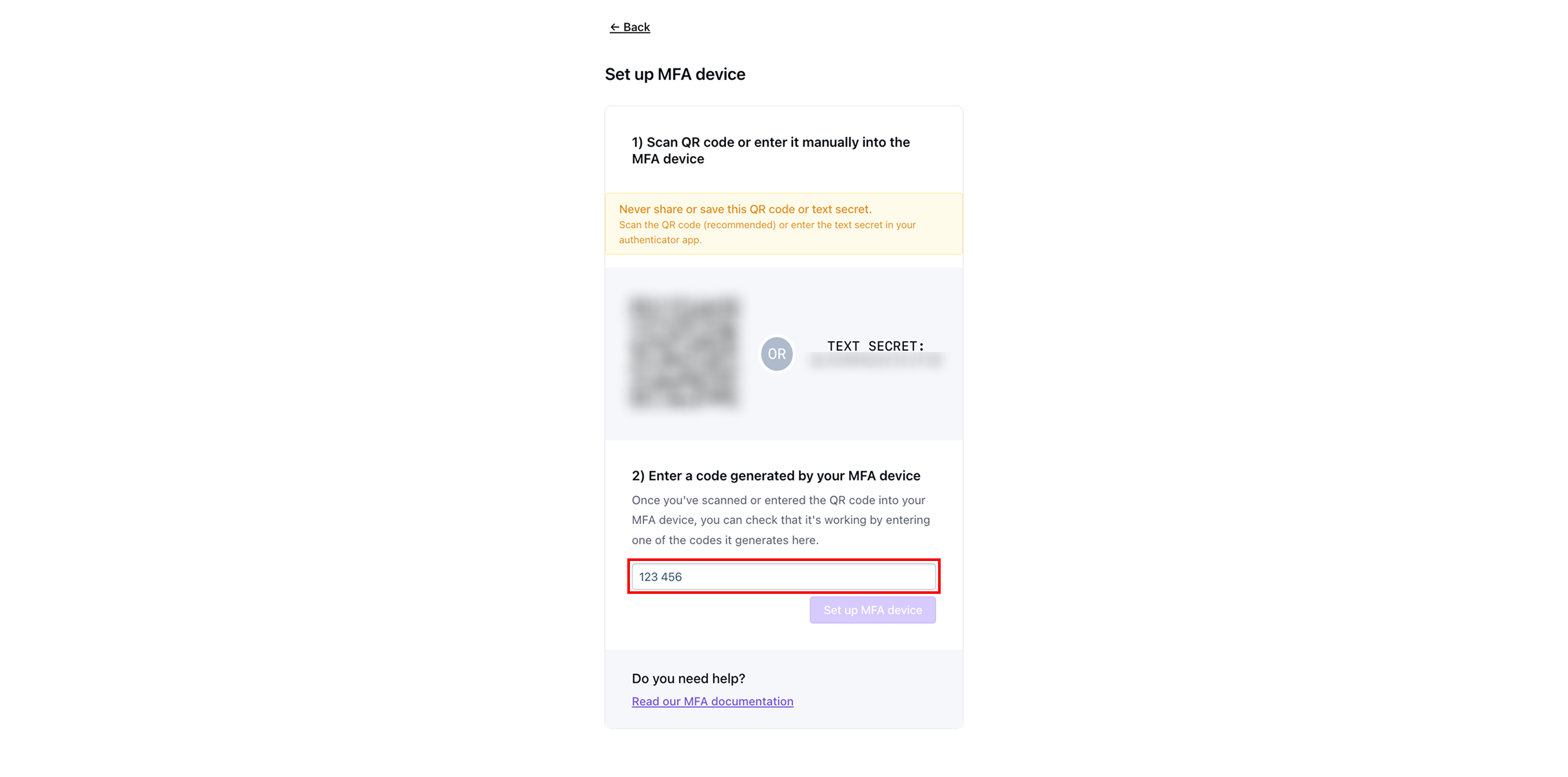
Scan op het MFA-apparaat van je keuze de QR-code of voer het tekstgeheim in.
{% hint style="info" %}
Enkele standaard apps voor tweefactorauthenticatie zijn [Google Duo](https://guide.duo.com/third-party-accounts), Microsoft Authenticator, of [1Password](https://support.1password.com/one-time-passwords/?mac).
{% endhint %}
{% endstep %}
{% step %}
Voer de 6-cijferige code in die op het MFA-apparaat wordt weergegeven.
{% endstep %}
{% step %}
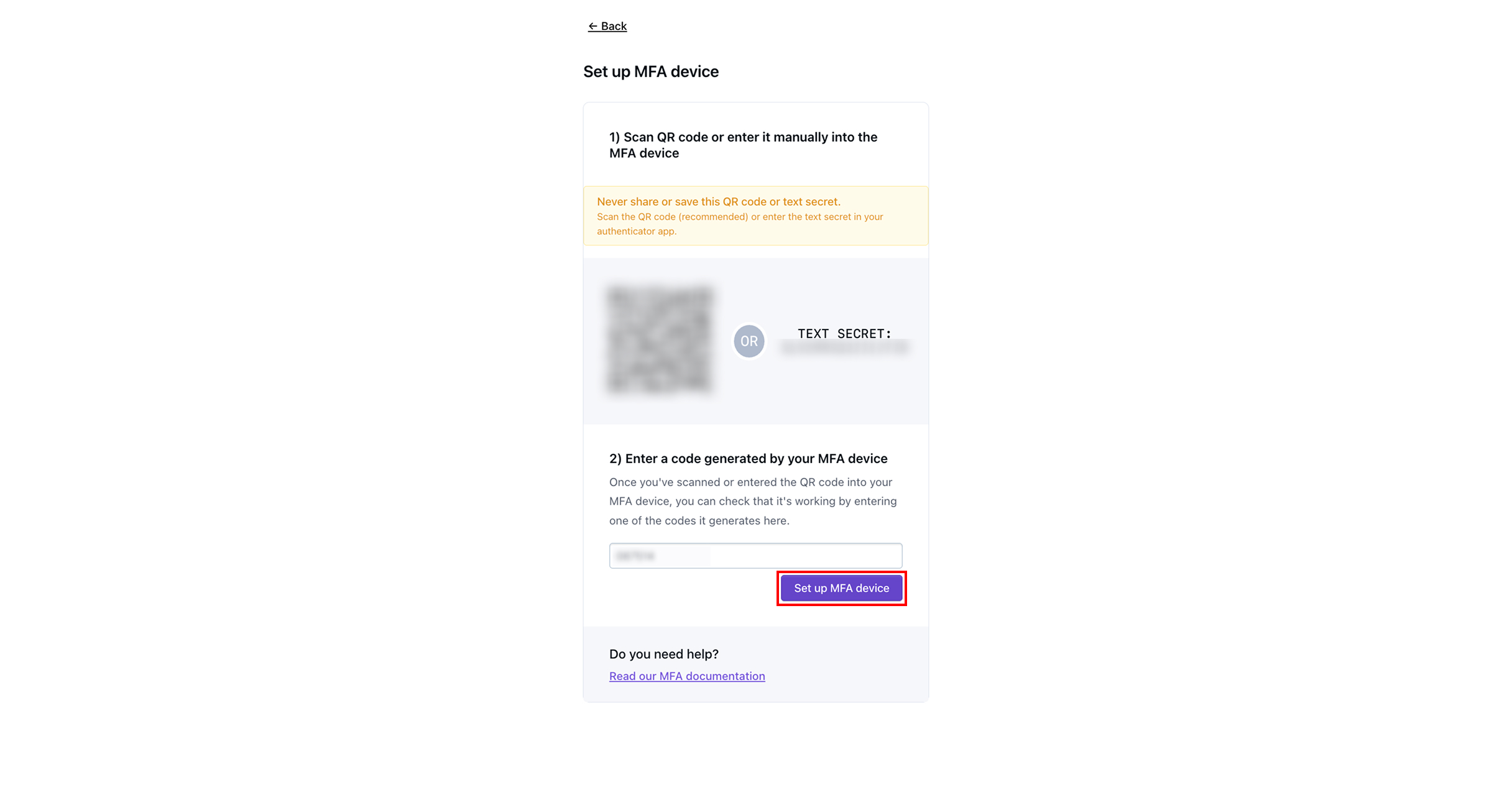
Tik op **MFA-apparaat instellen.**
{% hint style="warning" %}
Je moet op MFA-apparaat instellen tikken voordat de code die je van je MFA-apparaat hebt ingevoerd, verloopt.
{% endhint %}
{% endstep %}
{% step %}
Tik op **Doorgaan.** Je account is nu volledig ingesteld en je wordt naar het Dispel-dashboard gebracht.
{% endstep %}
{% step %}
#### Beveiligingssleutel instellen
Tik op **Beveiligingssleutel instellen.**
{% endstep %}
{% step %}
Sla de herstelcodes op door op **Downloaden als .txt** of **Kopiëren naar klembord**te tikken en sla de herstelcodes vervolgens ergens veilig op.
{% hint style="info" %}
Met herstelcodes kun je MFA tijdelijk omzeilen om in de toekomst in te loggen op je account.
{% endhint %}
{% endstep %}
{% step %}
Zodra je de herstelcodes hebt opgeslagen, tik je op **Ik heb ze opgeslagen, laat me de volgende stap zien.**
{% endstep %}
{% step %}
Voer een naam in voor het apparaat dat je als beveiligingssleutel gaat gebruiken.
{% endstep %}
{% step %}
Tik op **Nieuwe sleutel toevoegen**.
{% endstep %}
{% step %}
Sluit je sleutel aan en activeer deze. Volg de stappen om je beveiligingssleutel te registreren.
{% endstep %}
{% step %}
Tik op **Doorgaan.** Je account is nu volledig ingesteld en je wordt naar het Dispel-dashboard gebracht.
{% endstep %}
{% endstepper %}
## Volgende stappen
{% content-ref url="/pages/ee6de0417880b4cdcb897482fb5a1ca8fd48db04" %}
[Een toegangsvenster aanvragen](/documentation/documentation-nl/verbinding-maken-met-uw-systemen/access-windows/request-an-access-window.md)
{% endcontent-ref %}
{% content-ref url="/pages/47242c8275eb329f2359d390a16c955c1499fa74" %}
[Verbindingsmethoden](/documentation/documentation-nl/verbinding-maken-met-uw-systemen/connection-methods.md)
{% endcontent-ref %}
---
# Agent Instructions
This documentation is published with GitBook. GitBook is the documentation platform designed so that both humans and AI agents can read, navigate, and reason over technical content effectively. Learn more at gitbook.com.
## Querying This Documentation
If you need additional information that is not directly available in this page, you can query the documentation by asking a question.
Perform an HTTP GET request on the following URL with the `ask` and `goal` query parameters:
```
GET https://docs.dispel.com/documentation/documentation-nl/gebruikers-en-toegang-beheren/users/create-a-dispel-account.md?ask=&goal=
```
`ask` is the immediate question: it should be specific, self-contained, and written in natural language.
`goal` is what the user is ultimately trying to achieve, the reason they need the answer. Sharing it helps GitBook give you a better, more relevant answer. A goal is most helpful when it describes the outcome the user wants rather than restating the question. For example, with `ask=how do I create an API token`, a goal like `automate deployments from our CI pipeline` lets GitBook tailor the answer to that use case.
The response will contain a direct answer to the question and relevant excerpts and sources from the documentation.
Use this mechanism when the answer is not explicitly present in the current page, you need clarification or additional context, or you want to retrieve related documentation sections.







.jpg?alt=media)