> For the complete documentation index, see [llms.txt](https://docs.dispel.com/llms.txt). Markdown versions of documentation pages are available by appending `.md` to page URLs; this page is available as [Markdown](https://docs.dispel.com/documentation/documentation-nl/gebruikers-en-toegang-beheren/users/create-a-dispel-account.md).
# Maak een Dispel-account aan
## Overzicht
Het aanmaken van een Dispel-account is de eerste stap om via Dispel verbinding te maken met je site. Om een Dispel-account aan te maken, moet je per e-mail een uitnodiging hebben ontvangen of een uitnodigingslink hebben gekregen van een beheerder binnen je Dispel-implementatie.
## Een Dispel-account aanmaken
{% stepper %}
{% step %}
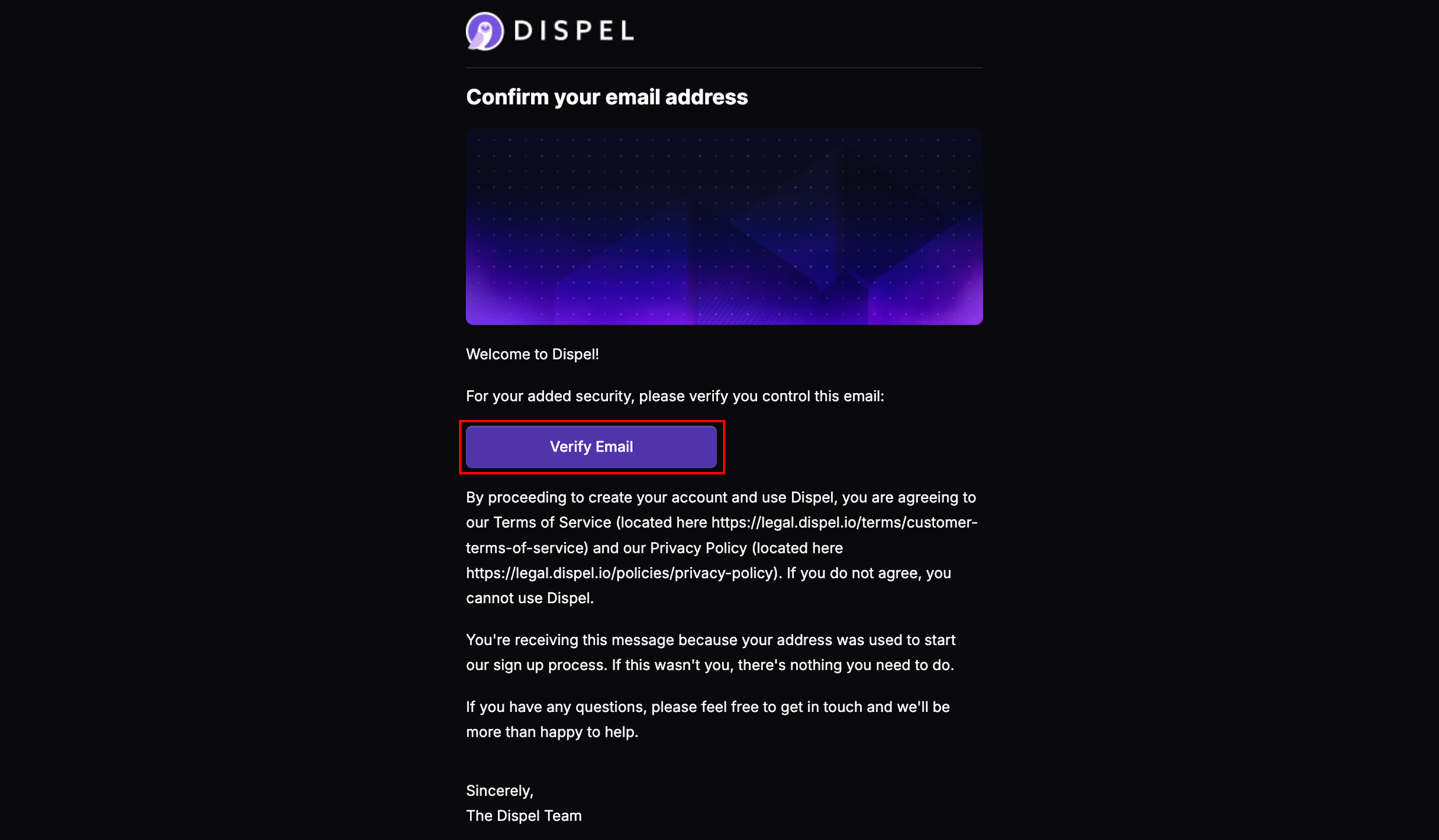
Om een Dispel-account aan te maken, moet je eerst zijn uitgenodigd voor een organisatie. Je ontvangt een uitnodiging per e-mail, zoals hieronder te zien is, of krijgt een uitnodigingslink van een beheerder. Klik op **E-mailadres verifiëren** of open de uitnodigingslink die je hebt ontvangen.
{% endstep %}
{% step %}
Selecteer de gewenste taal.
{% endstep %}
{% step %}
Tik op **Doorgaan om je naam in te stellen**.
{% endstep %}
{% step %}
Voer je naam in.
{% endstep %}
{% step %}
Tik op **Doorgaan om je wachtwoord in te stellen**.
{% endstep %}
{% step %}
Voer het gewenste wachtwoord voor Dispel twee keer in.
{% endstep %}
{% step %}
Vink het vakje aan om te bevestigen dat je het privacybeleid en het toestemmingsformulier voor betrokkenen van Dispel hebt gelezen.
{% endstep %}
{% step %}
Tik op **Nieuw wachtwoord instellen.**
{% endstep %}
{% step %}
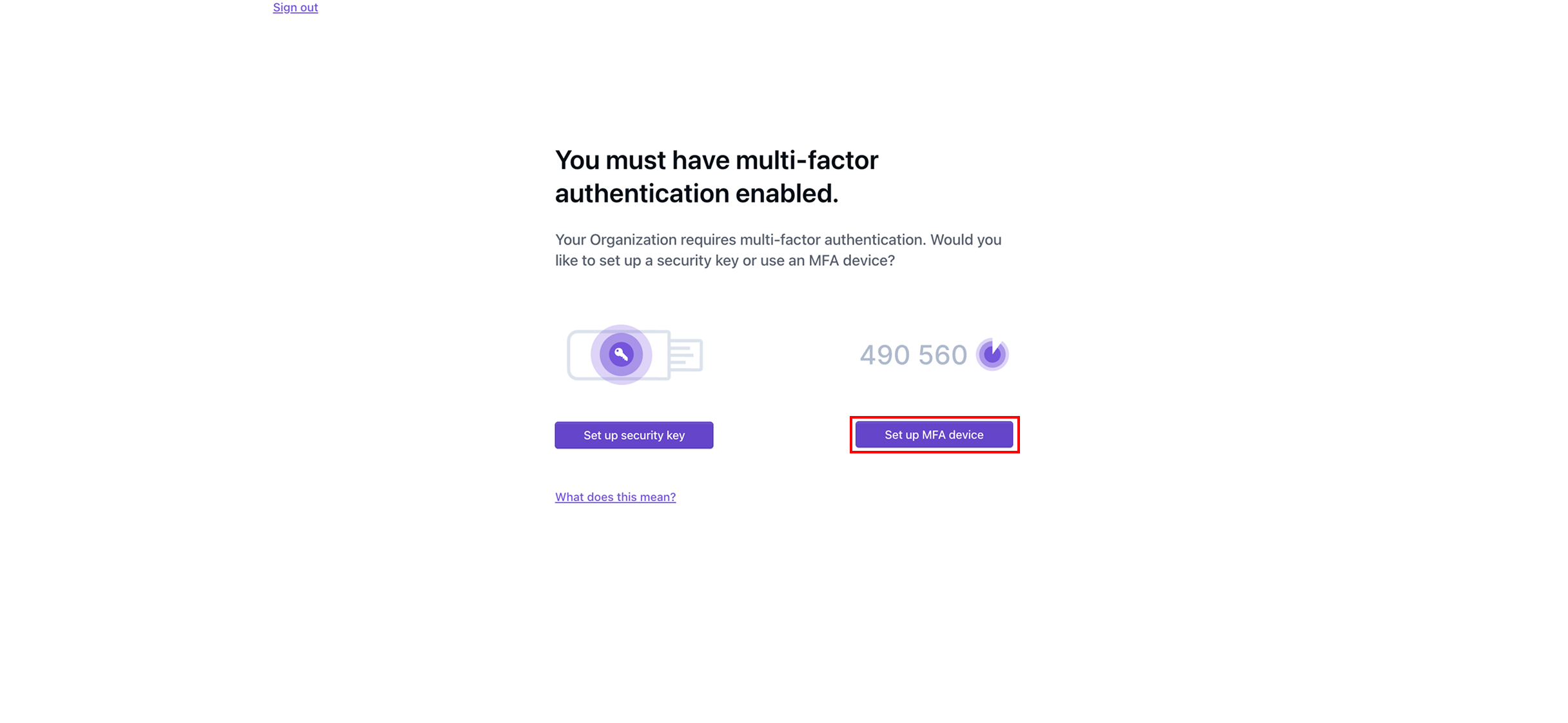
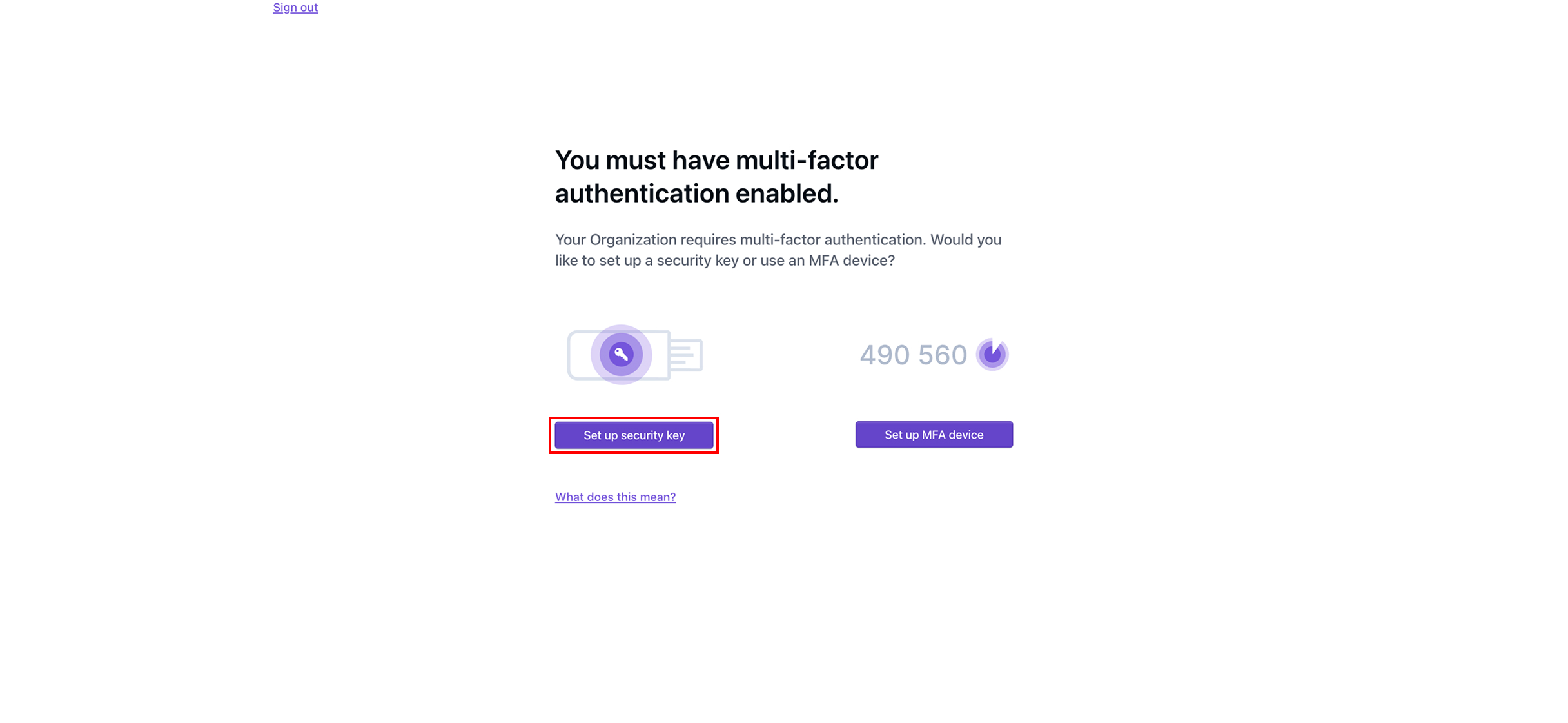
Als je organisatie meervoudige verificatie (MFA) vereist, wordt je nu gevraagd MFA in te stellen. Je kunt [#set-up-mfa-device](#set-up-mfa-device "mention") of [#set-up-security-key](#set-up-security-key "mention"). Als je organisatie geen MFA vereist, is je account nu volledig ingesteld en word je naar het Dispel-dashboard geleid.
{% endstep %}
{% step %}
#### MFA-apparaat instellen
Tik op **MFA-apparaat instellen**.
{% endstep %}
{% step %}
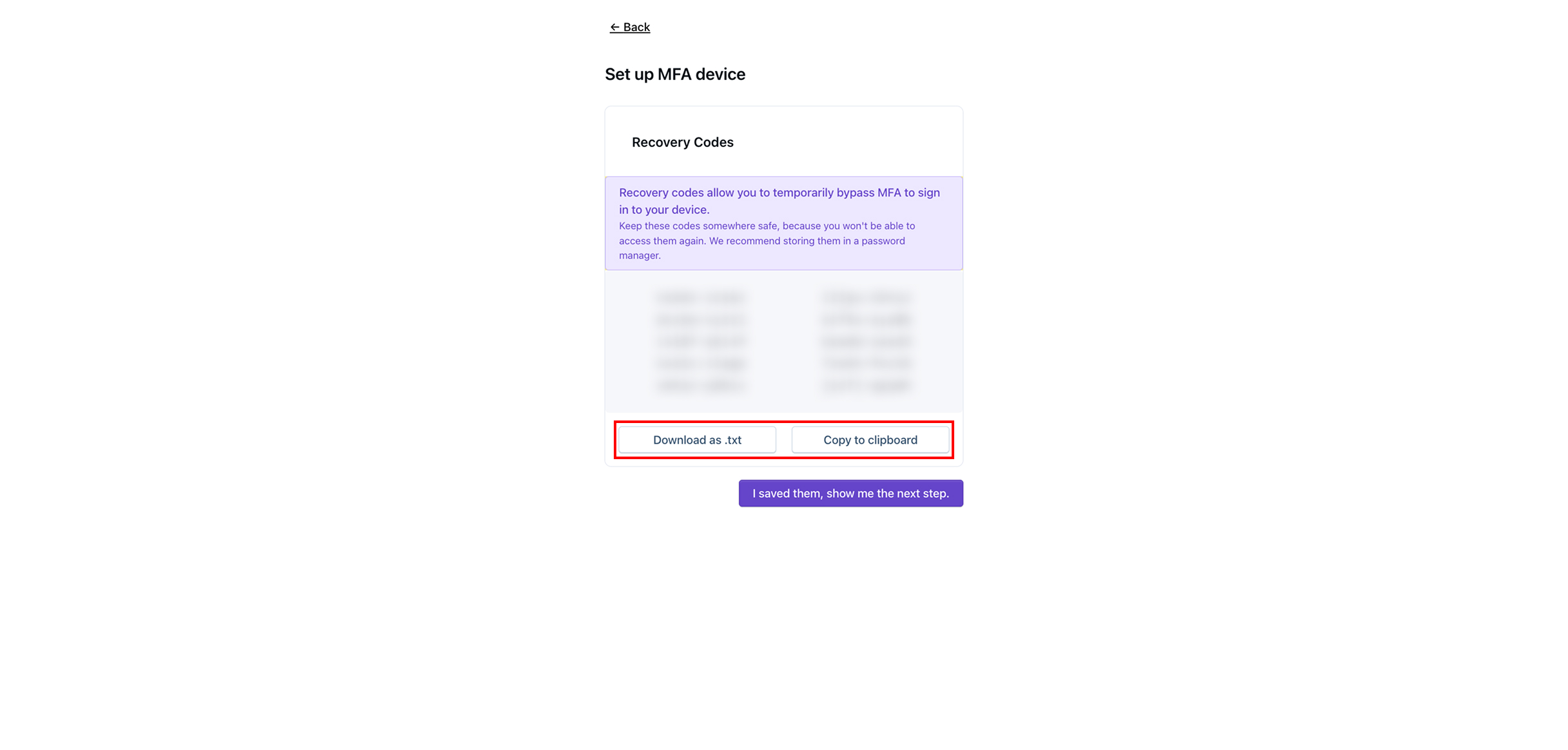
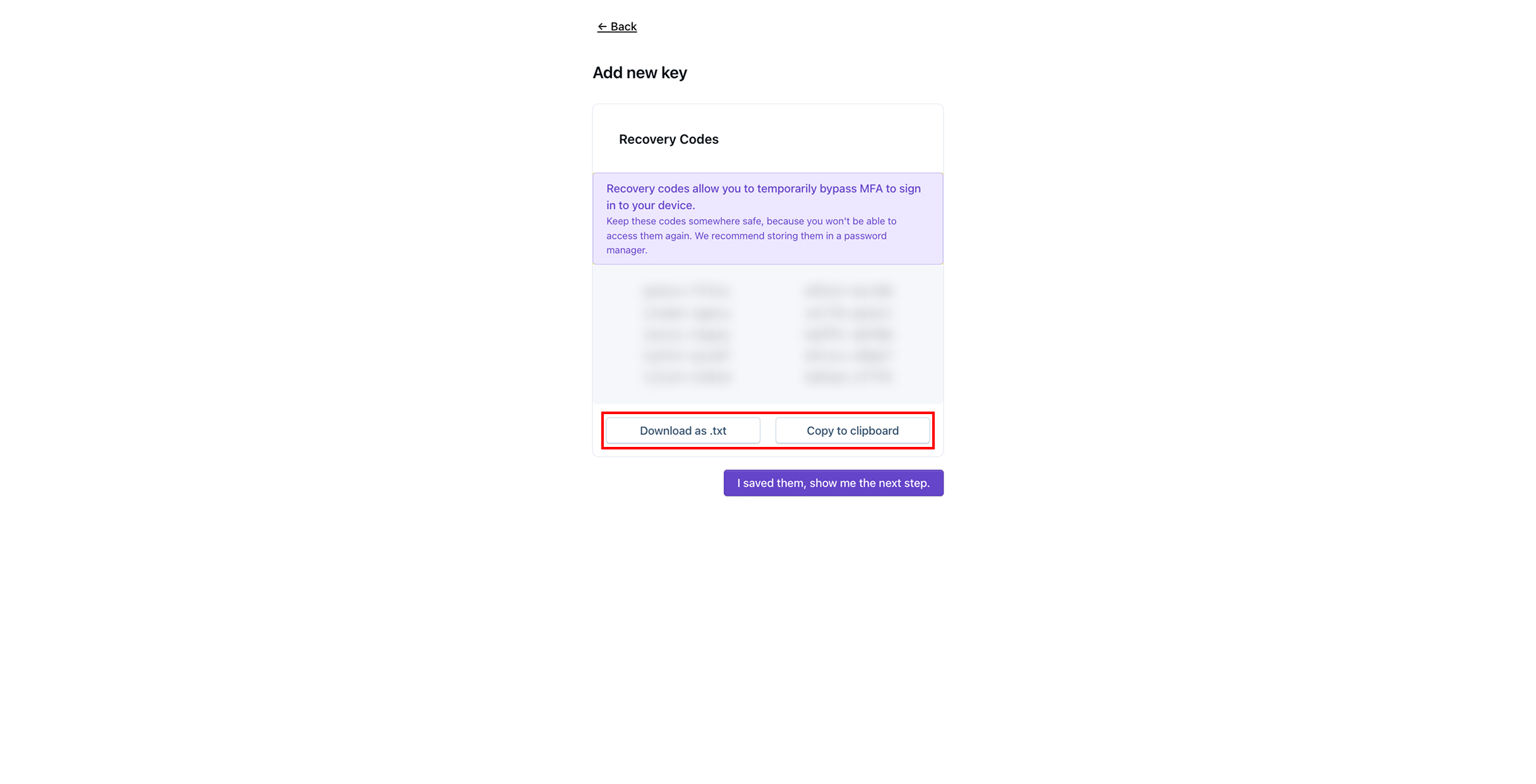
Sla de herstelcodes op door te tikken op **Downloaden als .txt** of **Kopiëren naar klembord**, en bewaar de herstelcodes vervolgens op een veilige plek.
{% hint style="info" %}
Met herstelcodes kun je MFA tijdelijk omzeilen om je in de toekomst aan te melden bij je account.
{% endhint %}
{% endstep %}
{% step %}
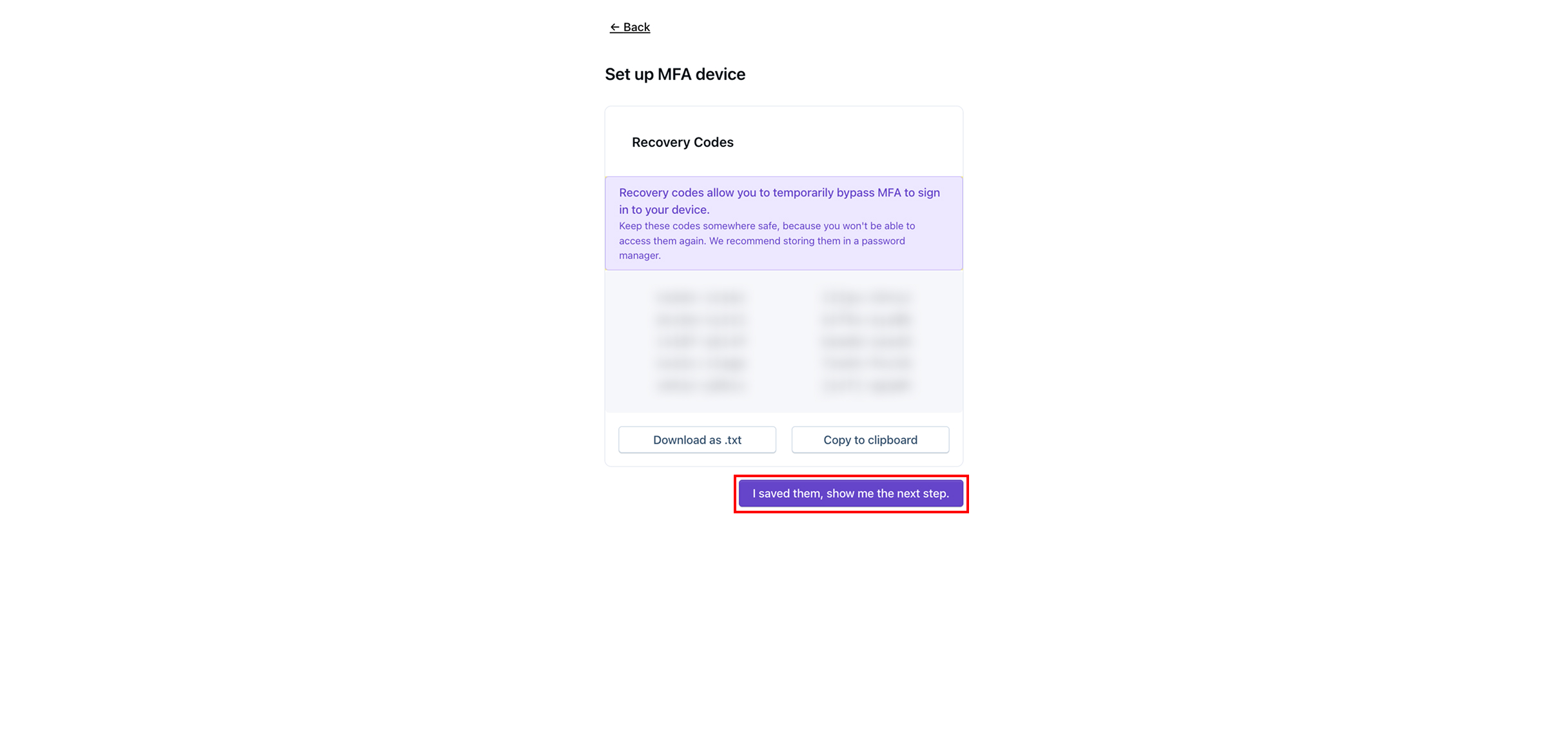
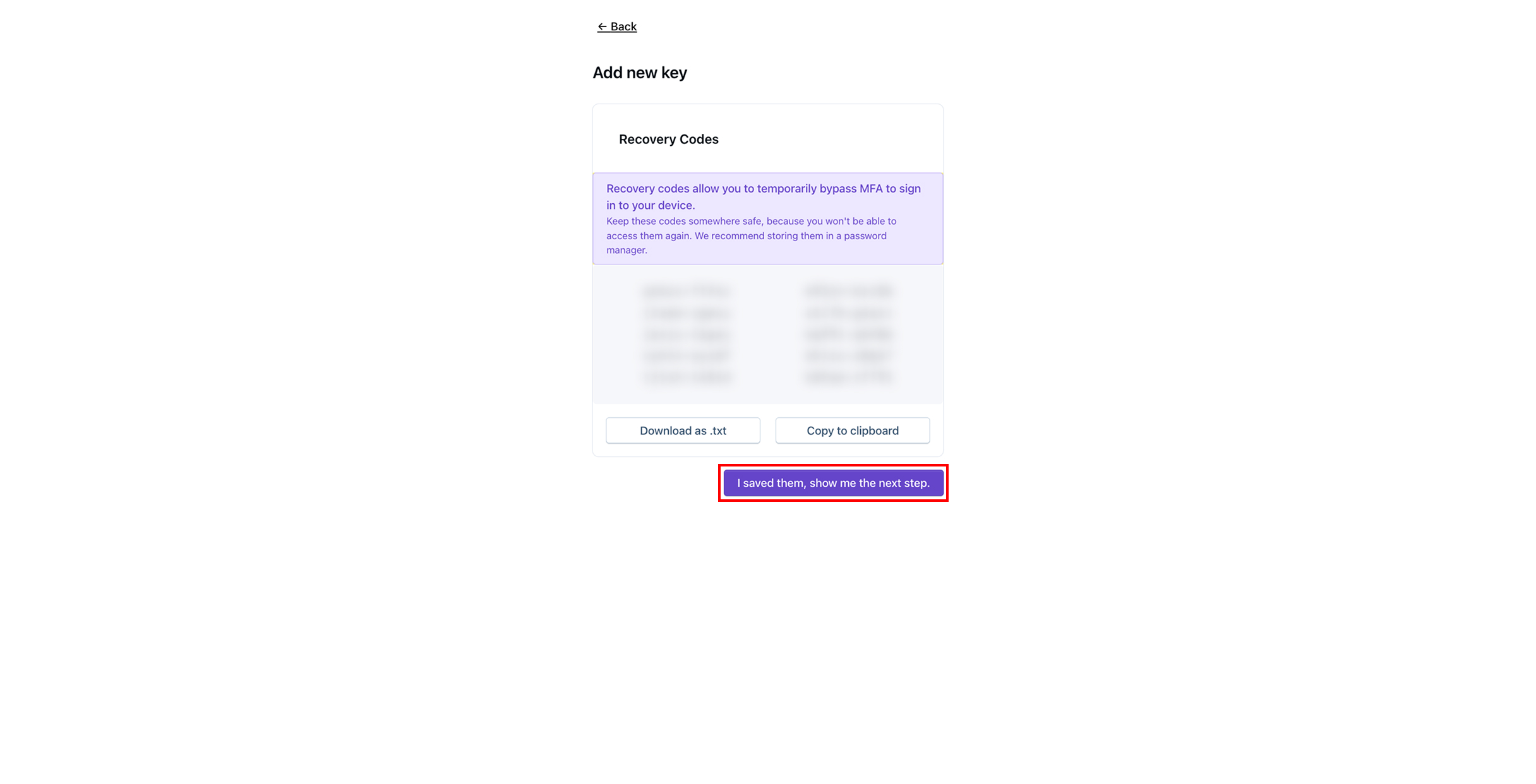
Tik op **Ik heb ze opgeslagen; laat me de volgende stap zien.**
{% endstep %}
{% step %}
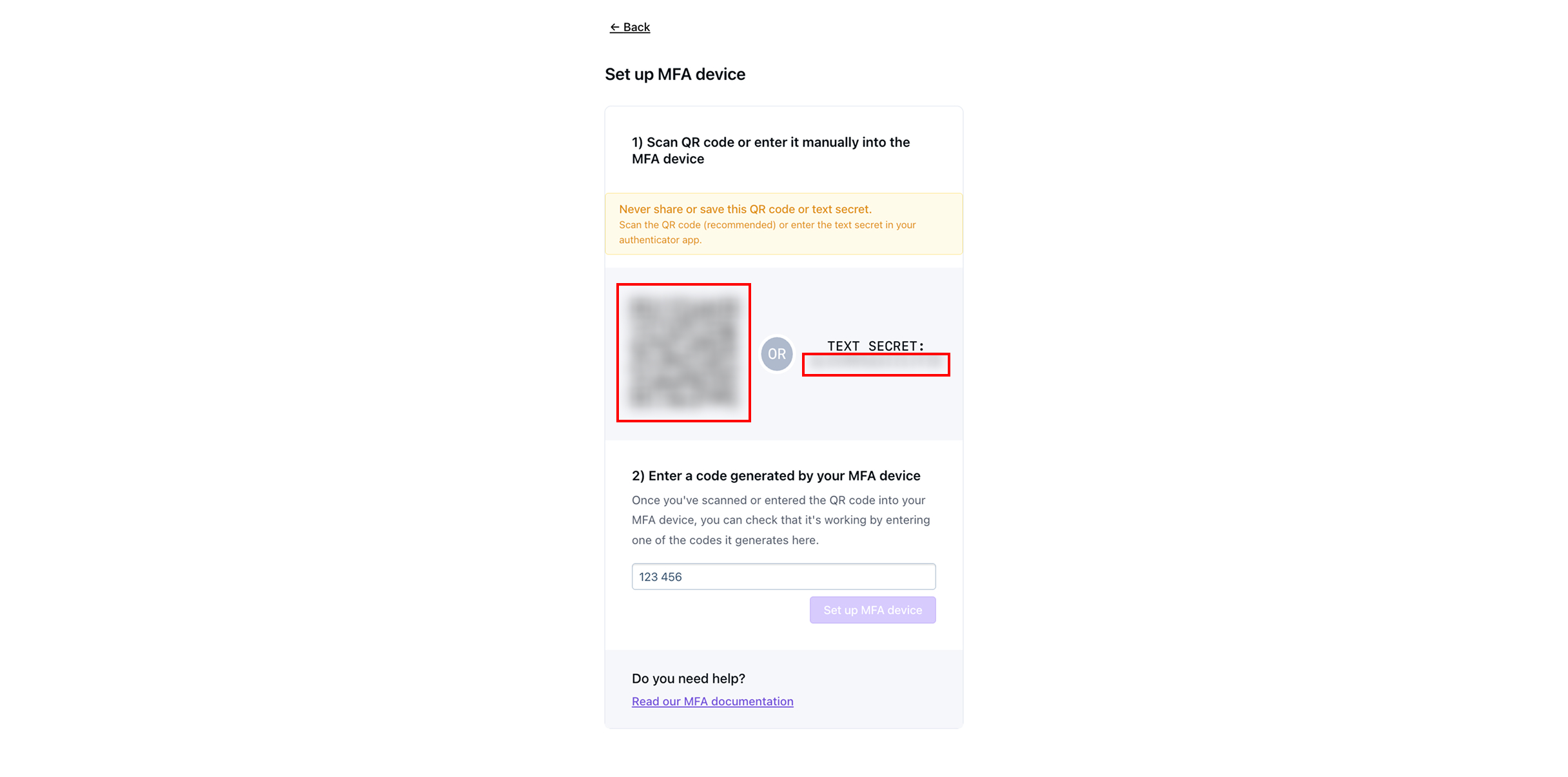
Scan met de MFA-app van je keuze de QR-code of voer het geheime tekstgegeven in.
{% hint style="info" %}
Voorbeelden van standaardapps voor tweestapsverificatie zijn [Google Duo](https://guide.duo.com/third-party-accounts), Microsoft Authenticator of [1Password](https://support.1password.com/one-time-passwords/?mac).
{% endhint %}
{% endstep %}
{% step %}
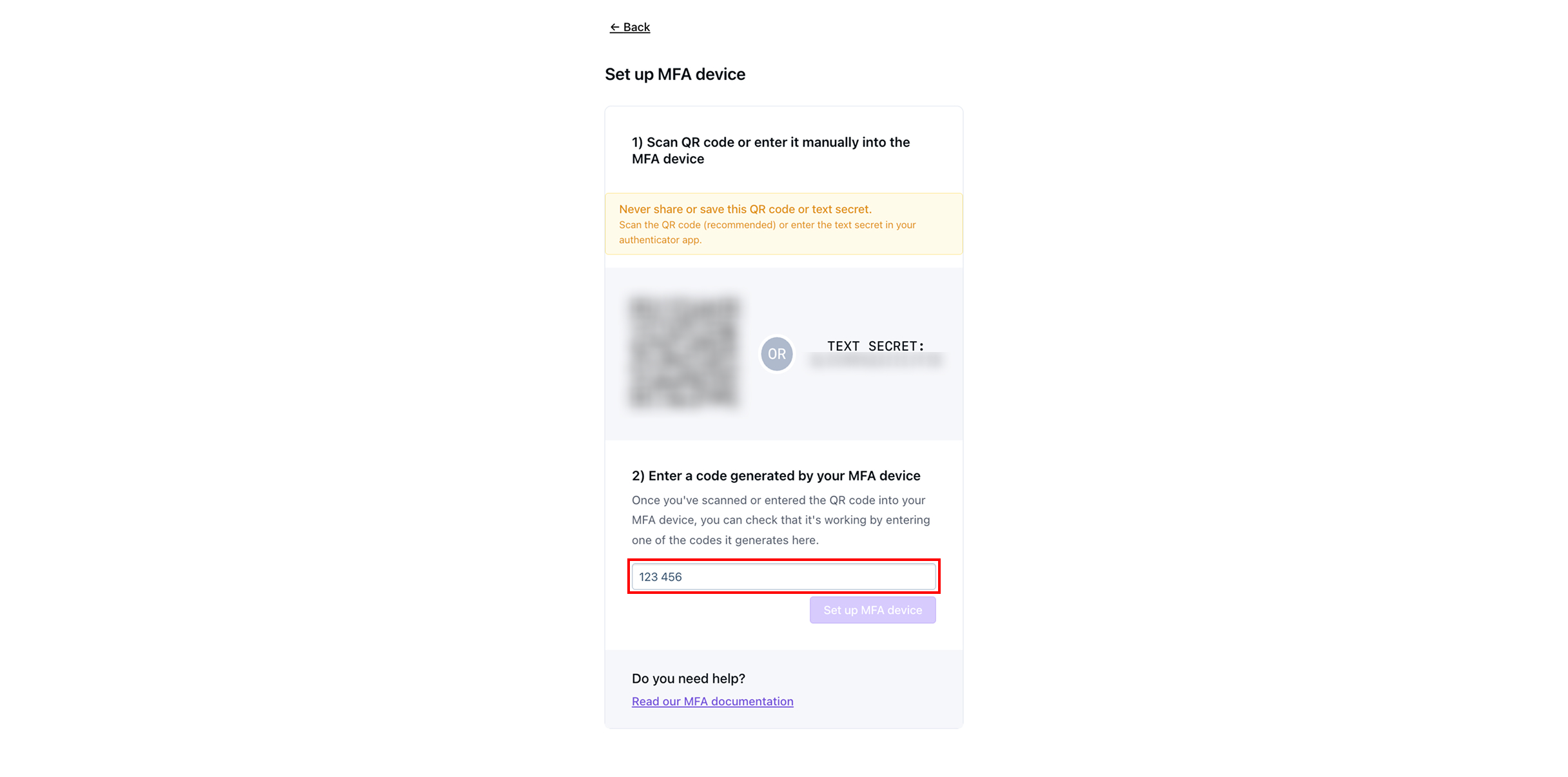
Voer de 6-cijferige code in die op het MFA-apparaat wordt weergegeven.
{% endstep %}
{% step %}
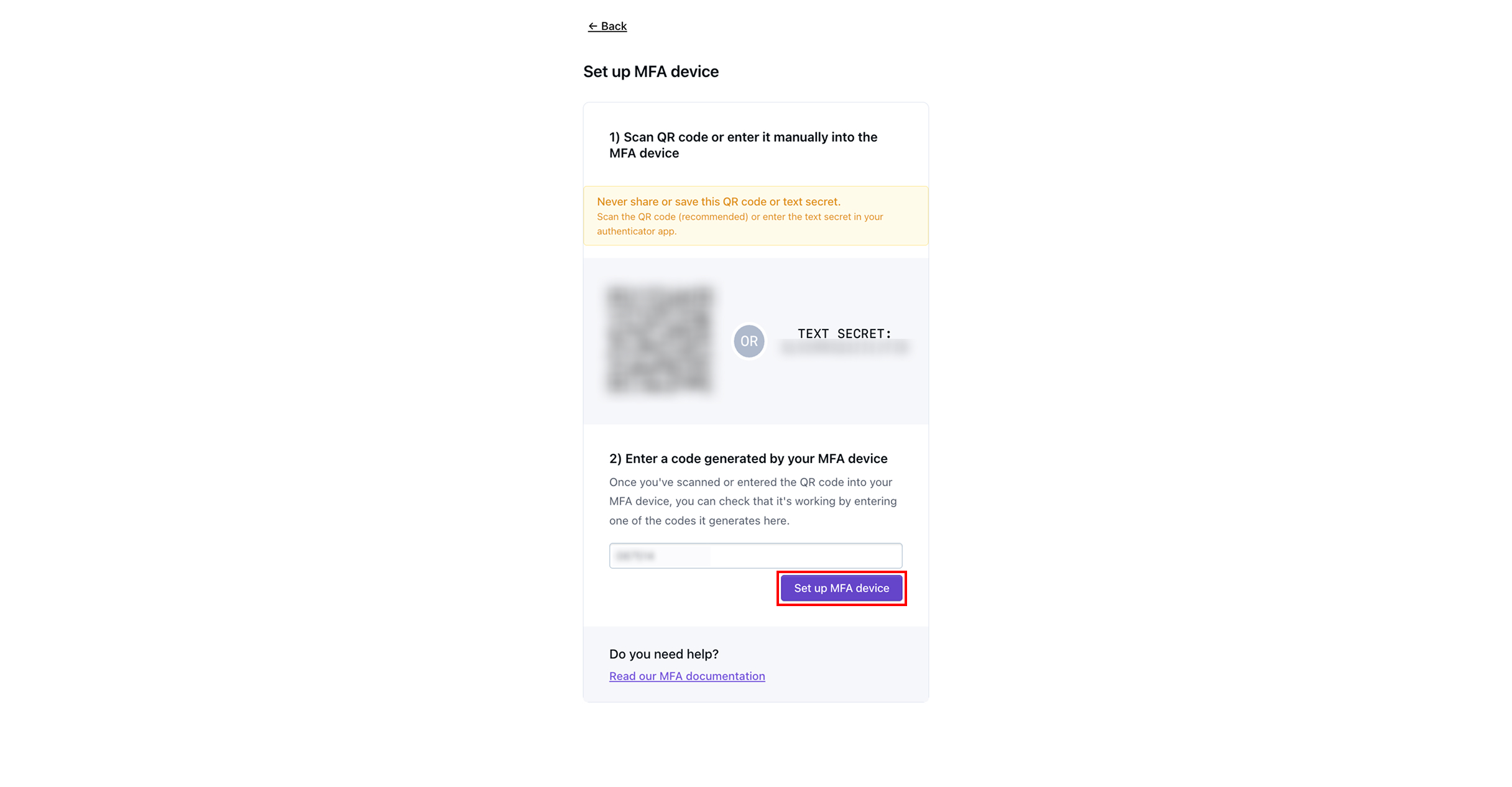
Tik op **MFA-apparaat instellen.**
{% hint style="warning" %}
Je moet op MFA-apparaat instellen tikken voordat de code van je MFA-apparaat verloopt.
{% endhint %}
{% endstep %}
{% step %}
Tik op **Doorgaan.** Je account is nu volledig ingesteld en je wordt naar het Dispel-dashboard geleid.
{% endstep %}
{% step %}
#### Beveiligingssleutel instellen
Tik op **Beveiligingssleutel instellen.**
{% endstep %}
{% step %}
Sla de herstelcodes op door te tikken op **Downloaden als .txt** of **Kopiëren naar klembord**, en bewaar de herstelcodes vervolgens op een veilige plek.
{% hint style="info" %}
Met herstelcodes kun je MFA tijdelijk omzeilen om je in de toekomst aan te melden bij je account.
{% endhint %}
{% endstep %}
{% step %}
Tik op **Ik heb ze opgeslagen; laat me de volgende stap zien.**
{% endstep %}
{% step %}
Voer een naam in voor het apparaat dat je als beveiligingssleutel gaat gebruiken.
{% endstep %}
{% step %}
Tik op **Nieuwe sleutel toevoegen**.
{% endstep %}
{% step %}
Sluit je sleutel aan en activeer deze. Volg de stappen om je beveiligingssleutel te registreren.
{% endstep %}
{% step %}
Tik op **Doorgaan.** Je account is nu volledig ingesteld en je wordt naar het Dispel-dashboard geleid.
{% endstep %}
{% endstepper %}
## Volgende stappen
{% content-ref url="/pages/ee6de0417880b4cdcb897482fb5a1ca8fd48db04" %}
[Een toegangsvenster aanvragen](https://docs.dispel.com/documentation/documentation-nl/verbinding-maken-met-uw-systemen/access-windows/request-an-access-window.md)
{% endcontent-ref %}
{% content-ref url="/pages/47242c8275eb329f2359d390a16c955c1499fa74" %}
[Verbindingsmethoden](https://docs.dispel.com/documentation/documentation-nl/verbinding-maken-met-uw-systemen/connection-methods.md)
{% endcontent-ref %}
---
# Agent Instructions
This documentation is published with GitBook. GitBook is the documentation platform designed so that both humans and AI agents can read, navigate, and reason over technical content effectively. Learn more at gitbook.com.
## Querying This Documentation
If you need additional information that is not directly available in this page, you can query the documentation by asking a question.
Perform an HTTP GET request on the following URL with the `ask` and `goal` query parameters:
```
GET https://docs.dispel.com/documentation/documentation-nl/gebruikers-en-toegang-beheren/users/create-a-dispel-account.md?ask=&goal=
```
`ask` is the immediate question: it should be specific, self-contained, and written in natural language.
`goal` is what the user is ultimately trying to achieve, the reason they need the answer. Sharing it helps GitBook give you a better, more relevant answer. A goal is most helpful when it describes the outcome the user wants rather than restating the question. For example, with `ask=how do I create an API token`, a goal like `automate deployments from our CI pipeline` lets GitBook tailor the answer to that use case.
The response will contain a direct answer to the question and relevant excerpts and sources from the documentation.
Use this mechanism when the answer is not explicitly present in the current page, you need clarification or additional context, or you want to retrieve related documentation sections.