> For the complete documentation index, see [llms.txt](https://docs.dispel.com/llms.txt). Markdown versions of documentation pages are available by appending `.md` to page URLs; this page is available as [Markdown](https://docs.dispel.com/documentation/documentation-nl/welkom.md). Agents can also search and read this documentation through its [MCP server](https://docs.dispel.com/~gitbook/mcp).

# Welkom

Veilige externe toegang die uw team en leveranciers binnen enkele minuten bij de juiste apparaten brengt.

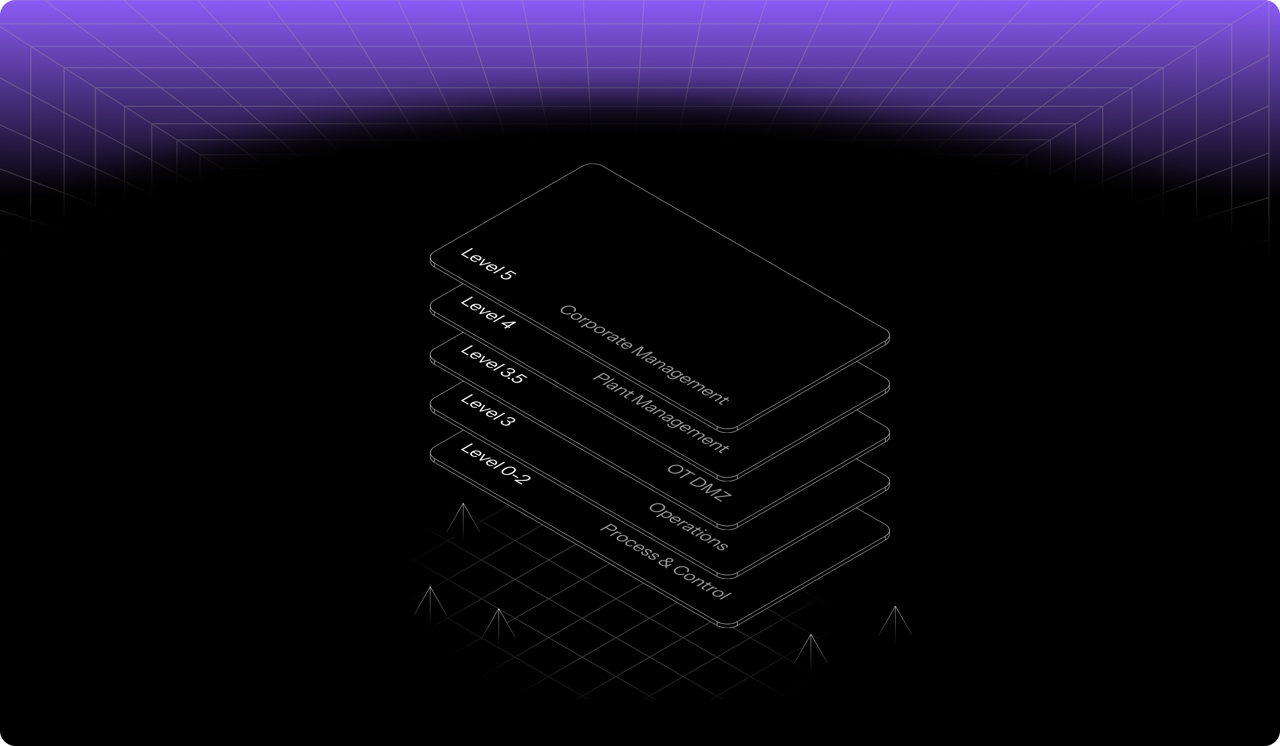
<figure><img src="https://904415399-files.gitbook.io/~/files/v0/b/gitbook-x-prod.appspot.com/o/spaces%2F5T5Fo32wwisEqZbODG7j%2Fuploads%2Fgit-blob-14327eb6f3af68893d1fcba7453262607d609a18%2F6f13f6d2-4aa1-40b8-816a-1912c8472eb9.png?alt=media" alt="Dispel&#x27;s layered access model across facility levels, from corporate management down to process and control"><figcaption></figcaption></figure>

## Aan de slag

Nieuw bij Dispel? Begin hier.

<table data-card-size="large" data-view="cards"><thead><tr><th></th><th></th><th data-hidden data-card-target data-type="content-ref"></th></tr></thead><tbody><tr><td><strong>Aan de slag met Dispel</strong></td><td>Stel je organisatie in en maak je eerste verbinding.</td><td><a href="https://docs.dispel.com/documentation/documentation-nl/aan-de-slag/getting-started-with-dispel.md">Aan de slag met Dispel</a></td></tr><tr><td><strong>Snelstartgids voor gebruikers</strong></td><td>Meld je aan, vraag toegang aan en maak verbinding met een apparaat.</td><td><a href="https://docs.dispel.com/documentation/documentation-nl/aan-de-slag/getting-started-with-dispel/user-quick-start-guide.md">Snelstartgids voor gebruikers</a></td></tr><tr><td><strong>Belangrijke terminologie</strong></td><td>De belangrijkste concepten: faciliteiten, toegangsvensters en Wickets.</td><td><a href="https://docs.dispel.com/documentation/documentation-nl/aan-de-slag/key-terminology.md">Belangrijke terminologie</a></td></tr></tbody></table>

## Verbinding maken met faciliteiten

<table data-view="cards"><thead><tr><th></th><th></th><th data-hidden data-card-target data-type="content-ref"></th></tr></thead><tbody><tr><td><strong>Toegangstijden</strong></td><td>Vraag getimede toegang tot een faciliteit aan, keur deze goed en beheer deze.</td><td><a href="https://docs.dispel.com/documentation/documentation-nl/verbinding-maken-met-uw-systemen/access-windows.md">Toegangsvensters</a></td></tr><tr><td><strong>Browser Connect</strong></td><td>Maak vanaf je browser verbinding met een apparaat, zonder iets te installeren.</td><td><a href="https://docs.dispel.com/documentation/documentation-nl/verbinding-maken-met-uw-systemen/connection-methods/browser-connect.md">Browser Connect</a></td></tr><tr><td><strong>Virtuele desktops</strong></td><td>Reserveer een desktop binnen het netwerk van de faciliteit.</td><td><a href="https://docs.dispel.com/documentation/documentation-nl/verbinding-maken-met-uw-systemen/connection-methods/virtual-desktops.md">Virtuele desktops</a></td></tr></tbody></table>

## Je organisatie beheren

<table data-view="cards"><thead><tr><th></th><th></th><th data-hidden data-card-target data-type="content-ref"></th></tr></thead><tbody><tr><td><strong>Gebruikers</strong></td><td>Nodig mensen uit, stel hun rollen in en beheer de toegang.</td><td><a href="https://docs.dispel.com/documentation/documentation-nl/gebruikers-en-toegang-beheren/users.md">Gebruikers</a></td></tr><tr><td><strong>Groepen</strong></td><td>Wijs machtigingen en toegang in één keer aan meerdere mensen toe.</td><td><a href="https://docs.dispel.com/documentation/documentation-nl/gebruikers-en-toegang-beheren/groups.md">Groepen</a></td></tr><tr><td><strong>Rollen en machtigingen</strong></td><td>Wat elke rol kan doen binnen de organisatie, regio's en faciliteiten.</td><td><a href="https://docs.dispel.com/documentation/documentation-nl/gebruikers-en-toegang-beheren/permissions.md">Rollen en machtigingen</a></td></tr><tr><td><strong>Instellingen</strong></td><td>Huisstijl, contactpersonen en opties voor de hele organisatie.</td><td><a href="https://docs.dispel.com/documentation/documentation-nl/integreren-en-beheren/settings.md">Instellingen</a></td></tr></tbody></table>

## Beveiliging en monitoring

<table data-view="cards"><thead><tr><th></th><th></th><th data-hidden data-card-target data-type="content-ref"></th></tr></thead><tbody><tr><td><strong>Beleidsbouwer</strong></td><td>Bepaal wie bij het aanmelden om MFA wordt gevraagd en hoe.</td><td><a href="https://docs.dispel.com/documentation/documentation-nl/beveiligen-en-beheren/policy-builder.md">Beleidsbouwer</a></td></tr><tr><td><strong>Sessieforensisch onderzoek</strong></td><td>Bekijk het risico per sessie en wat er tijdens een verbinding is gebeurd.</td><td><a href="https://docs.dispel.com/documentation/documentation-nl/monitoren-en-onderzoeken/risk-factor-analysis.md">Session Forensics - risicofactoranalyse</a></td></tr><tr><td><strong>Rapporten</strong></td><td>Exporteer toegangs- en activiteitsgegevens voor audits.</td><td><a href="https://docs.dispel.com/documentation/documentation-nl/monitoren-en-onderzoeken/reports.md">Rapporten</a></td></tr><tr><td><strong>Naleving</strong></td><td>Koppel Dispel-beveiligingsmaatregelen aan IEC 62443, NIST en meer.</td><td><a href="https://docs.dispel.com/documentation/documentation-nl/beveiligen-en-beheren/overview.md">Naleving</a></td></tr></tbody></table>


---

# Agent Instructions
This documentation is published with GitBook. GitBook is the documentation platform designed so that both humans and AI agents can read, navigate, and reason over technical content effectively. Learn more at gitbook.com.

## Querying This Documentation
If you need additional information that is not directly available in this page, you can query the documentation by asking a question.

Perform an HTTP GET request on the following URL with the `ask` and `goal` query parameters:

```
GET https://docs.dispel.com/documentation/documentation-nl/welkom.md?ask=<question>&goal=<user_goal>
```

`ask` is the immediate question: it should be specific, self-contained, and written in natural language.
`goal` is what the user is ultimately trying to achieve, the reason they need the answer. Sharing it helps GitBook give you a better, more relevant answer. A goal is most helpful when it describes the outcome the user wants rather than restating the question. For example, with `ask=how do I create an API token`, a goal like `automate deployments from our CI pipeline` lets GitBook tailor the answer to that use case.

The response will contain a direct answer to the question and relevant excerpts and sources from the documentation.

Use this mechanism when the answer is not explicitly present in the current page, you need clarification or additional context, or you want to retrieve related documentation sections.
